#FOSS #Unix
freebsd
#FOSS #Unix
/usr/local/etc/pkg/repos/FreeBSD-base.conf
FreeBSD-base: {
url: "pkg+https://pkg.FreeBSD.org/${ABI}/base_release_${VERSION_MINOR}",
mirror_type: "srv",
signature_type: "fingerprints",
fingerprints: "/usr/share/keys/pkgbase-${VERSION_MAJOR}",
enabled: yes
}
FreeBSD-ports: {
url: "pkg+https://pkg.FreeBSD.org/${ABI}/latest",
mirror_type: "srv",
signature_type: "fingerprints",
fingerprints: "/usr/share/keys/pkg",
enabled: yes
}
FreeBSD-ports-kmods: {
url: "pkg+https://pkg.FreeBSD.org/${ABI}/kmods_latest_${VERSION_MINOR}",
mirror_type: "srv",
signature_type: "fingerprints",
fingerprints: "/usr/share/keys/pkg",
enabled: yes
}
#FreeBSD
Do you have to run doas pkg update -r FreeBSD-base or can you just run doas pkg upgrade -r FreeBSD-base like I do for ports as I only run doas pkg upgrade and it saves me typing out a similar length line that contains update ????
RE: https://mastodon.bsd.cafe/@grahamperrin/116784954897006714
/boot/loader.conf
# Set Maximum for ZFS ARC
vfs.zfs.arc_max="2147483648"
# Set Minimum for ZFS ARC
vfs.zfs.arc_min="1073741824"
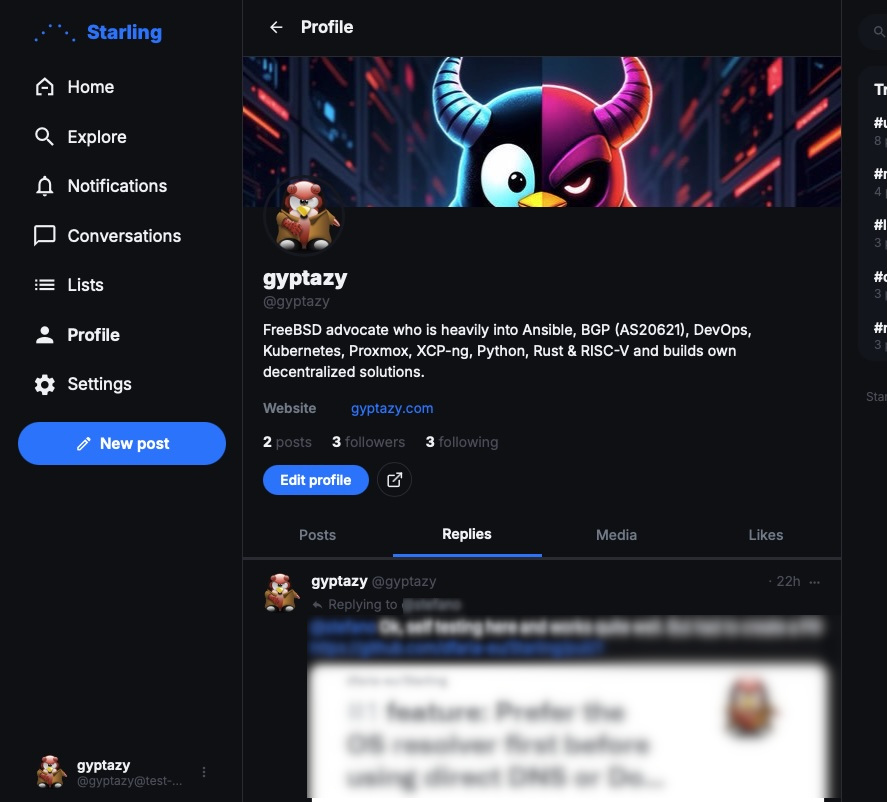
Run your own decentralized social platform on shared hosting or a tiny VPS WITHOUT Redis, PostgreSQL, or complex infrastructure.
What it makes so special to me? It looks awesome, comes with a great admin web interface and does not require a VPS instance where it can also be operated on a cheap shared hosting systems. By the given requirements, it also easily runs on a #RaspberryPI and all kind of systems, including #FreeBSD, #OpenBSD, #Illumos and more!
This all makes it perfect to everyone and even beginners to run their own instance. With relay support (e.g., fedi-relay.gyptazy.com) it even can consume and post content over non-directly connected instances in the #fediworld!
Kudos to the author of Starling: @df
More information:
GitHub project: https://github.com/dfaria-eu/Starling
My blog post: https://gyptazy.com/blog/starling-simple-fediverse-server/
#fedi #fediwall #opensource #decentralized #social #socialmedia #alternatives #mastodon
Interestingly, #FreeBSD comes with #nvi2 in base, while #OpenBSD and #NetBSD seem to be running #nvi 1:
FreeBSD 14.3-RELEASE-p12~~~Version 2.2.2 (2025-10-08) The CSRG, University of California, Berkeley.
OpenBSD 7.3(7.9 is still running the same version)~~~Version 1.79 (10/23/96) The CSRG, University of California, Berkeley.
NetBSD 10.1~~~Version (1.81.6-2013-11-20nb4) The CSRG, University of California, Berkeley.
They all seem to have nvi2 available as packages, though, which #Debian, oddly, does not.
rld@Intrepid:~$ uname -srFreeBSD 14.3-RELEASE-p12rld@Intrepid:~$ pkg search nvi |grep '^nvi2'nvi2-2.2.2 Updated implementation of the ex/vi text editorrld@Intrepid:~$
#(searching openbsd online)rld@Intrepid:~$ searchall -o nvi |grep ^nvinvi-2.2.2 (list) with wide and files limited bynvi-2.2.2-iconv (list) with wide and files limited by
rldane@rosa.tilde.pink$ uname -srNetBSD 10.1rldane@rosa.tilde.pink$ pkgin search nvi |grep ^nvi |grep -v nvidianvi-1.81.6nb13 Berkeley nvi with additional featuresnvi-m17n-1.79.20040608nb11 Clone of vi/ex, with multilingual patchnvi2-2.2.0 Multibyte fork of the nvi editor for BSDrldane@rosa.tilde.pink$
~ $ head -1 /etc/os-release PRETTY_NAME="Raspbian GNU/Linux 13 (trixie)"~ $ apt-cache search nvi |grep -E '^nvi2? 'nvi - 4.4BSD re-implementation of vi~ $
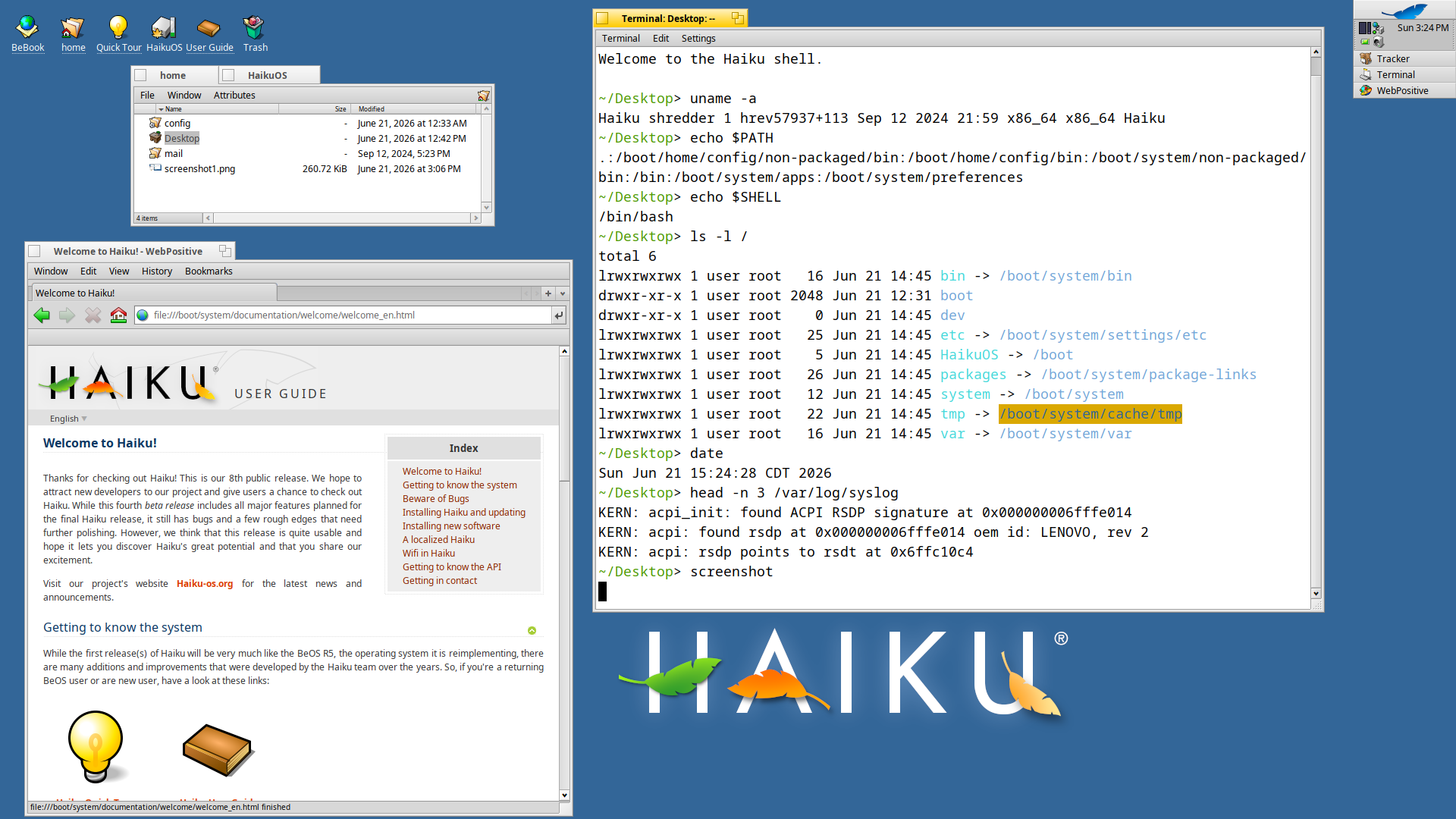
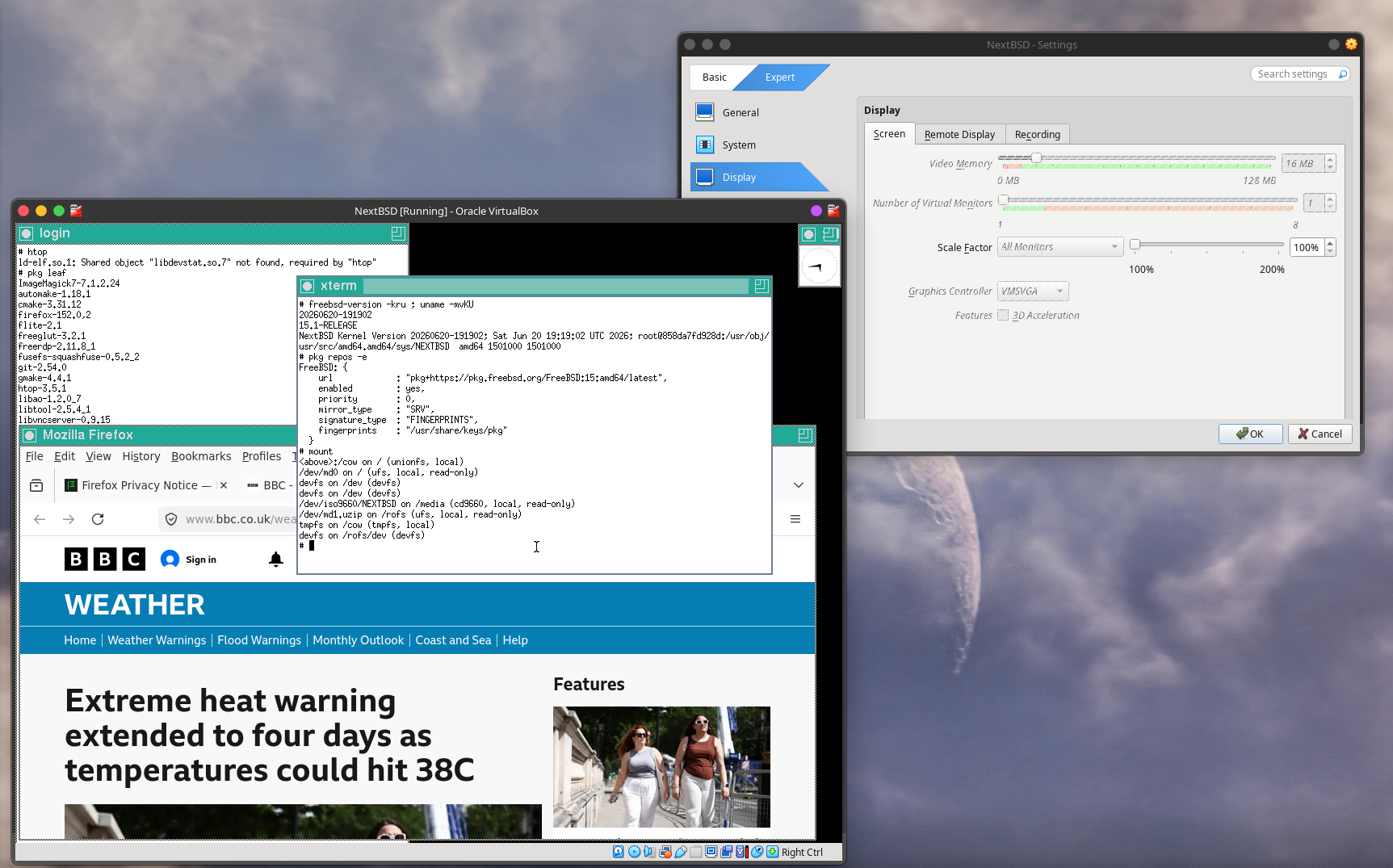
NextBSD in Oracle VirtualBox on Kubuntu 26.04.
1501000 kernel.
1501000 userland, 15.1-RELEASE.
NextBSD-amd64-20260621-043806.iso
― booted from the ISO, without installing to a virtual disk.
Firefox 150.0,2 and TWM installed from FreeBSD's latest repo for 15 on AMD64.
FreeBSD major upgrade from 14.4-RELEASE-p6 to 15.1-RELEASE, with freebsd-update
100 minutes for the upgrade to userland:
<https://www.reddit.com/r/freebsd/comments/1u6xu2i/comment/osq1q3u/>
Has anyone else found the userland upgrade extraordinarily time-consuming for 14 to 15.1-RELEASE?
The FreeBSD Project home page no longer has a link to FAQ.
The main Documentation menu includes <https://docs.freebsd.org/en/books/fdp-primer/>, which very few people will want. The ninety-nine-page FreeBSD Documentation Project Primer for New Contributors can be found at the front page of the documentation portal.
Suggestion:
― remove the link to the primer from the Documentation menu at the home page
― add a link to FAQ, make it the second menu option (beneath the Documentation menu option).
Trying FreeBSD as a Linux user – Kenvexity – YouTube
https://www.youtube.com/watch?v=bdUwCQttWKM&t=25s
I enjoyed this video. Very down-to-earth.
Some key points at <https://www.reddit.com/r/freebsd/comments/1ubn8mp/trying_freebsd_as_a_linux_user_kenvexity/>.
#FreeBSD #KDE #Plasma #Xorg #TWM #graphics #hardware #Firefox #Linuxulator #Steam
An AI audit of FreeBSD https://lobste.rs/s/kdninn #freebsd #security #vibecoding
https://blog.calif.io/p/an-ai-audit-of-freebsd
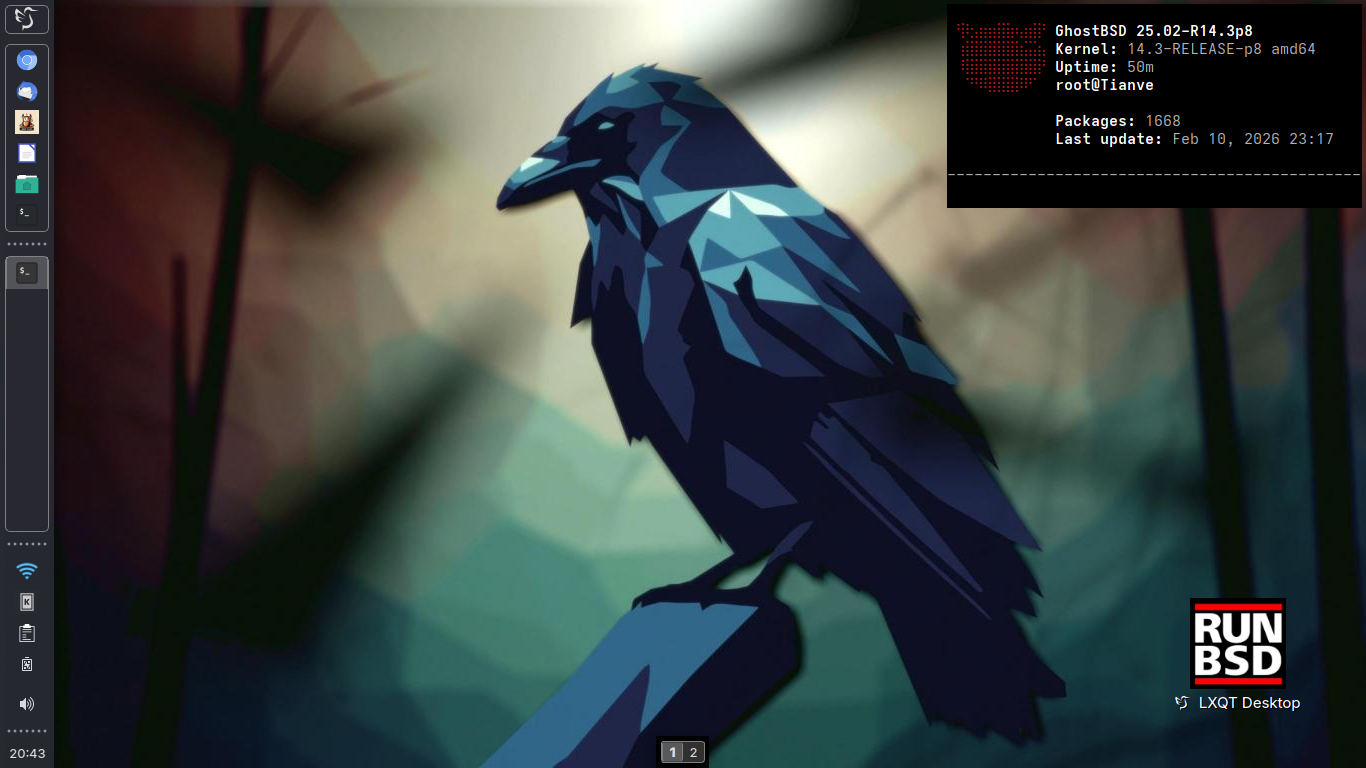
Secondary: "Tianve" - HP-250 G3
Kernel: 14.3-RELEASE-p8 amd64
Operating System: GhostBSD 25.02-R14.3p8
Desktop: LXQT 2.3.0
Windowmanager: XFWM4
Qt Version: 6.10.1
Graphics Platform: X11
https://bsd-hardware.info/?probe=77494a1526
#runbsd #freebsd #ghostbsd #unix #foss #lxqt #desktop #screenshot
Shouts at past me for not investigating what was always right in front of me all along
The man page section in question:
USE OF THE -r OPTION IS DANGEROUS AND IS NOT RECOMMENDED.
The -r option can be set on the command line or via the - command,
but to avoid unintentional use, it cannot be set in a LESS
environment variable. If -r appears in a LESS environment
variable, it is treated as if it were -R.
Nice, with a great help of https://www.programmingfonts.org/ (URL was found in the lost toot of one fedizen), I finally found the ideal font which I was searching a lot — a monospace Serif font, which looks like font from a book! 
A Monaspace Xenon font and a Monaspace Radon font (the last is hand-writing like monospace font). Luckily, the support of Cyrillic symbols was added in the latest version of font, literally few weeks ago.
Finally, my desktop is closer to the mine ideal 
This is what I put in my /boot/loader.conf:
# Terminal vt(4) Gruvbox colors
kern.vt.color.0.rgb="#000000"
kern.vt.color.1.rgb="#cc241d"
kern.vt.color.2.rgb="#98971a"
kern.vt.color.3.rgb="#d79921"
kern.vt.color.4.rgb="#458588"
kern.vt.color.5.rgb="#b16286"
kern.vt.color.6.rgb="#689d6a"
kern.vt.color.7.rgb="#a89984"
kern.vt.color.8.rgb="#928374"
kern.vt.color.9.rgb="#fb4934"
kern.vt.color.10.rgb="#b8bb26"
kern.vt.color.11.rgb="#fabd2f"
kern.vt.color.12.rgb="#83a598"
kern.vt.color.13.rgb="#d3869b"
kern.vt.color.14.rgb="#8ec07c"
kern.vt.color.15.rgb="#ebdbb2"
I created a new, a bit silly DNB song in tribute to Marshall Kirk's work in FreeBSD. Maybe I need to improve the lyrics, but I still like the melody.
https://interfacecraft.online/share/kirk-kirk-bsd/
Please boost, if you like it ☺️
I managed to install FreeBSD on my main pc, with a caveat. I picked the 16-Current because it supports the Lan chip of my motherboard, that lacks in the 15-1 STABLE.
It is not ideal, but picking the Stable would had mean doing some moves between partitions for the drivers, and Freebsd is here for tests and isn't really an issue.
So here what is all about.
🧵
Section "Device"
Identifier "Card0"
Driver "qxl"
EndSection
#RunBSD #BSD #Unix #FOSS

🍵