
Stalwart v1.0: The Fastest Mail Server on the Planet https://lobste.rs/s/c0yniy #email
https://stalw.art/blog/stalwart-1-0/
RE: https://mastodon.social/@Tutanota/117518311002072172
more should see this. If you gave them money because you thought they were anti-AI, #AI #Email

day 1 of migrating my business email away @protonmail because of their stance on and usage of A.I.
research stage - trying to avoid self hosting this one because it is for my company and can't afford any blockers. will be looking into @Tutanota and @fastmail first, not sure what their A.I. usage is currently
You might want to read this long before switching over to #Tuta https://mas.to/@zzt/117526295436699436 #Email

I dumped Proton when Yen blathered about the GOP being better for privacy... Glad I did even though it was disappointing to have to move email addresses again.
For those shopping for email providers, I use Posteo. At the time I was looking at them, AI hadn't quite been shoved everywhere yet so I didn't ask them their policy. https://posteo.de/en
I wrote support to ask what I could tell those who are considering Posteo now about what their AI policy is. This was the reply:
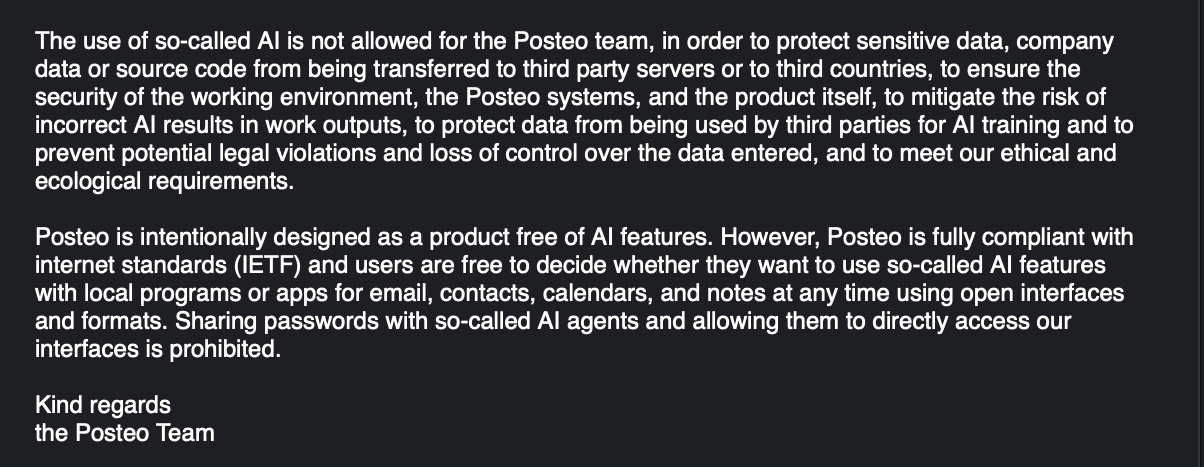
If anyone is looking for an email alternative that openly does not use AI/LLMs and has not done so for years now, look at the 'Does Posteo use so-called AI within the company and can i use AI with Posteo?' FAQ https://posteo.de/en/site/faq #Email #NoAI #FuckAI
From #Tuta reddit > As for AI: We are also exploring how to work with AI, and we are currently in the process of developing the principles to do this, which will certainly include that the security of Tuta is of the utmost important and that we must always understand what's going on in the code, and not hand the responsibility off to a tool. We said this in a recent chat here on Reddit: The current Tuta apps are built more than 99% without AI, but we are currently testing whether it makes sense to use AI tools to help developers speed up repetitive processes and increase efficiency overall. The goal of Tuta is to bring privacy to everyone and for that the Tuta apps must become much more feature-rich and competitive with Big Tech equivalents (eg Gmail). It could very well be possible that we achieve this goal faster if we use AI in development in a defined way, but there are pros and cons to this. https://www.reddit.com/r/tutanota/comments/1ximsy2/dear_ceo_of_tuta/?solution=33da4e460f4a4b6533da4e460f4a4b65&js_challenge=1&jsc_token=2824be10929bdc604753c70a67a1c331c35f65f26e7911b25b611fe641f22d78&jsc_orig_r= #AI #LLM #Email
Proton Mail goes full AI slop, Tuta starts going AI slop – Pivot to AI https://pivot-to-ai.com/2026/10/30/proton-mail-goes-full-ai-slop-tuta-starts-going-slop/ #Email
Please Let Me Contact You Privately https://lobste.rs/s/zxegbr #email #web
https://kennyqin.com/please-let-me-contact-you-privately/

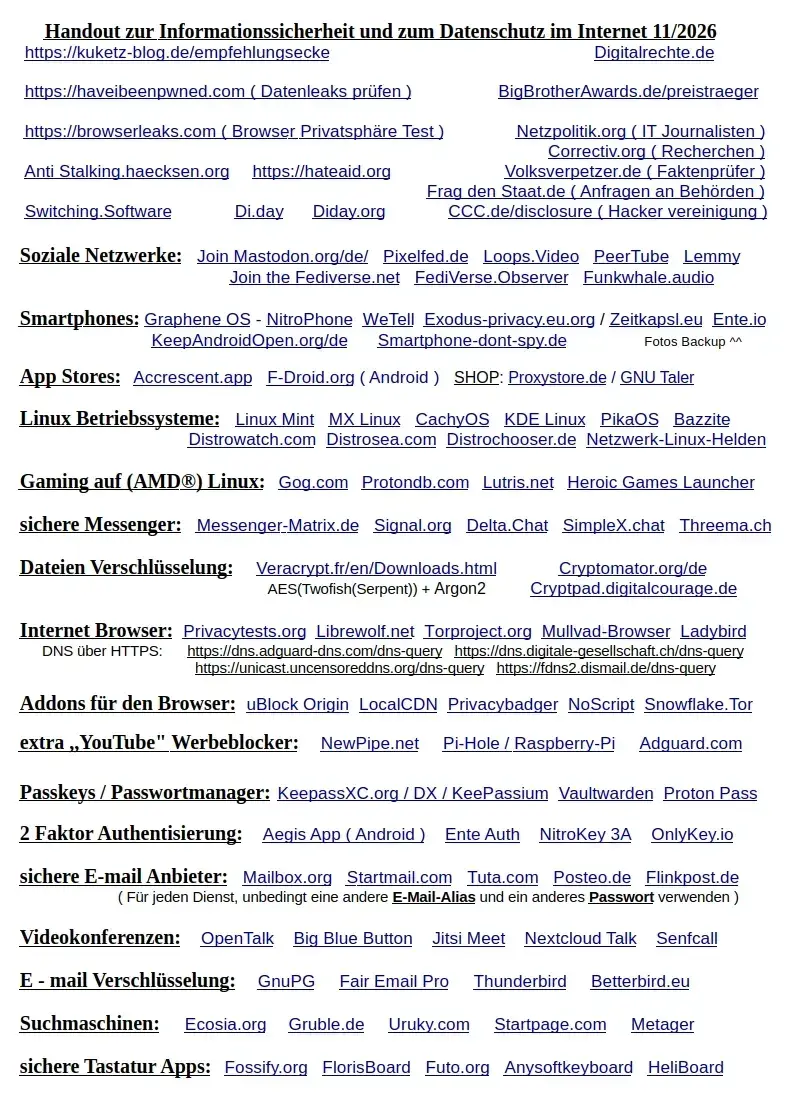
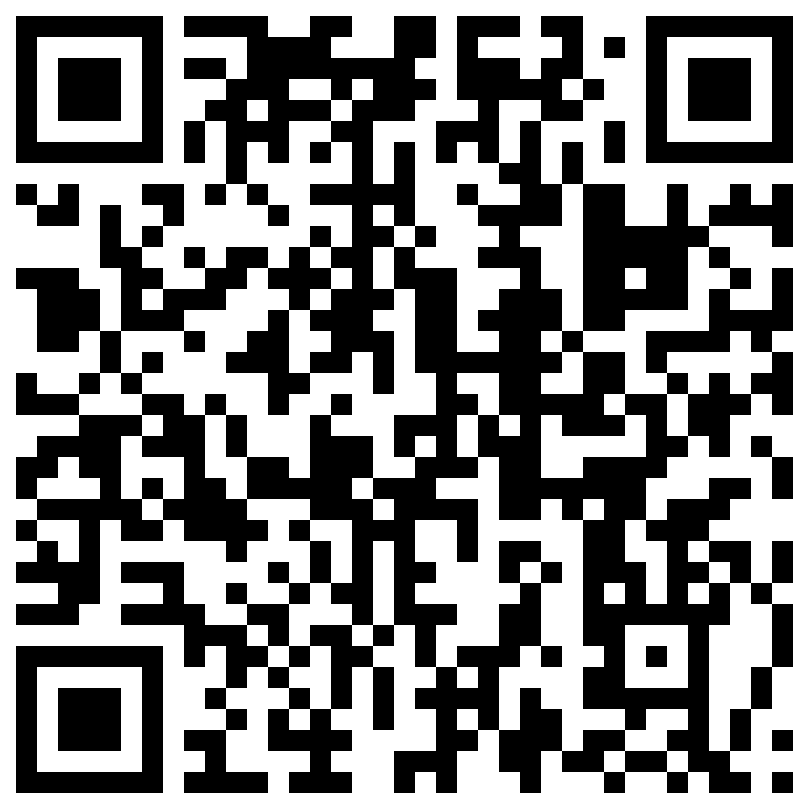
Meine IT Datenschutz Liste. 🔒
https://cryptpad.digitalcourage.de/file/#/2/file/trlITrmYn-1ho+-EIqH7MgDC
#Datenschutz
#Privatsphäre
#sicherheit
#Überwachung
#Medienkompetenz
#Chatkontrolle
#Smartphone
#Linux
#Windows
#Microsoft
#FDroid
#DiDay
#Messenger
#eMail
#OpenSource
#Gaming
#KeepAndroidOpen
#Internet
#2FA
#Mastodon
#Fediverse
#DigitalIndependenceDay
Edited 8d ago

So, here's what I want in an email service:
The ability to send and receive secure and private email with a service that isn't developed with the use of AI/LLMs. I don't need a calendar. I don't need fancy stuff.
Why is this so difficult?

I am seeking an e-mail client with the following features. I was happily using Thunderbird 78 and 102, but the former keeps quitting unexpectedly in Windows 10, 11, and even 7, where it never did before! 102 is tolerable, but anything after that is a mess.
1. Must work with NVDA screen reader. I've tried several supposedly simple programs, but they were all inaccessible.
2. Must have standard menus, accessible via the alt and arrow keys as well as hotkeys for sending, replying, forwarding, etc. I want something with a clean interface as well, not cluttered like Thunderbird 115 and later.
3. Must work with Windows 7. It is my preferred operating system and I will not waste time arguing about it.
4. Must be able to read and reply to messages without downloading them. Thunderbird has this feature. Essentially, the work is done on the server via the client.
5. Must be able to search the bodies of e-mails. For some reason, Thunderbird 115 and probably higher appears to lack this important feature.
6. Must work with GMail, preferably natively, but app passwords are also fine. This is the main reason I am even using a client. Yahoo has a wonderful Basic HTML version, but Gmail does not.
7. I don't need other features aside from the normal functions of an e-mail client i.e. send, receive, allow for multiple accounts with separate inboxes, spell-checking (optional), signature (optional), and sound alerts (optional but preferred). I don't use other services that I need to connect with my e-mail client i.e. cloud, calendar, contacts, meeting platforms, etc. I also neither need nor want ai features in such a program.
#accessibility #blind #email #e-mail #GMail #NVDA #programming #technology #Windows7
Golang tool to check SPF, DKIM, TLSA, and TLS settings for mailservers https://lobste.rs/s/bw7k1r #email #go #vibecoding
https://git.sig-io.nl/Sig-IO/mailcheck/
Microsoft are rejecting your mail via @robalex https://lobste.rs/s/ynik5s #email
https://www.mythic-beasts.com/blog/2026/11/09/microsoft-are-rejecting-your-mail/
A bit about email via @robalex https://lobste.rs/s/jnz4v5 #email
https://maurycyz.com/misc/email/
QuickMail 0.8.56 is out.
New: POP3 accounts can have folders of your own, for filing mailing lists and anything else. They live on your computer, since POP3 has no folders on the server.
Fixed: with a screen reader running, opening a message starts reading it straight away again, and Ctrl+A, Ctrl+C still copies the whole message. A rule that failed to move or delete a message no longer loses it.
https://github.com/kellylford/QuickMail/releases/tag/v0.8.56