Make It Right - Next Steps With CTRAN via @fanf https://lobste.rs/s/x1a86b #retrocomputing
https://thelastpsion.com/posts/make-it-right-next-steps-with-ctran/
retrocomputing
Resurrecting RealPlayer
Technically RealNetworks and their premier product #RealPlayer still exist in this year of our dragon lord 2026, but in a very different form from their heyday in the late 1990s. Something I was playing with a week or so ago reminded me of it, and I decided bringing it back from the dead would be an interesting project.I first discovered RealPlayer sometime in 1997 when I found an early version of it included with Windows 95, hidden in the SYSTEM directory. Microsoft shipped it along with Internet Explorer to provide media playback until they replaced it with their own Windows Media Player (which Real later sued them for). Even though this was the dial-up era, streaming audio channels even for just a few minutes at a time seemed fun. The player began to succumb to bloat once it hit version 6 but before that it was a pretty decent experience. I decided that RealPlayer 5, and its associated infrastructure, would be the best target.
Well, actually I wanted to target RealAudio Player 3 but I couldn't find a compatible server so I settled for Basic Server Plus 5. That gave me the option of experimenting with video if I wanted to, so it was a decent second prize. I set up a Windows 2000 VM to run the server on. I'd have preferred WinNT 4.0 but that will not run under the current version of QEMU. I was also able to find the UNIX versions (including Linux and FreeBSD) but I decided to go with Windows for this.
The server was easy enough to get going (although I wasn't able to get it to work as an NT service) so the encoder came next. I wanted to do live streaming rather than static files, and that led to another challenge. The Real encoder is hardcoded to take input from your sound card's mic or line input; it won't stream your desktop audio even if you set that as your recording source in Volume Control. An old version of Virtual Audio Cable let me work around that. The next wrinkle was that the encoder doesn't let you choose an audio input device; it always uses whichever one you have set as your default in Windows. Because of that, it's only possible to run one stream per machine. If you want to offer more channels (or enable bandwidth auto-negotiation) you have to use separate machines.
Audio is fairly easy, the aforementioned caveats aside, but video is a greater challenge. Like audio, the encoder absolutely insists on taking input from a camera or video capture card. I wasn't able to find anything that would run on pre-Win7 versions of Windows that would allow capturing the desktop display through a virtual device so I was stuck putting together a bit of a Rube Goldberg contraption: a laptop running Windows XP feeding VGA output to a TV scan converter, itself feeding into a USB analog capture card connected to the laptop. This, together with Virtual Audio Cable, allowed me to capture the output from VLC and encode it to a live RealVideo stream. Strangely I had problems with RealEncoder 5, but RealEncoder 1.0 (part of the RealServer 4 suite) worked fine.
So, with server and encoders going, attention now shifts to playback. The streaming protocol works a bit like FTP: the client opens a control connection to the server on TCP port 7070, then the server opens a connection to the client on a random UDP port in the 6970-7170 range (or whatever's set in the client preferences). That was fine in the dial-up era, when no one used NAT and hardly anyone used firewalls, but that would not work on the modern Internet. Starting with RealServer 4, Real added a feature they called "Smart Networking" to the server, allowing it to stream content via HTTP on port 80 rather than opening a direct connection to the client. This made it difficult to run a web server on the same machine though; that's why I opted not to run the Real server on my OpenBSD VM.
It was because of this unusual-by-modern-standards protocol that I decided to connect my server to Compu-Global-Hyper-Mega-Net (which I talked about in my previous blog post ) rather than running it directly over the modern 'Net. NAT is generally not used on #CGHMN and very few people run firewalls so the 'callback' connection method works fine, just as it did over dial-up. If you're on CGHMN and you want to give it a try, visit my site at www.n8fq.retro/real.
#RetroComputing #RealAudio
So, what are some good (*) BBSes (**) these days?
(*) for any definition of good
(**) of the online variant that is (telnet/ssh)
Building an AmigaOS Development Environment in 2026 https://lobste.rs/s/bz0spb #retrocomputing
https://turtleware.eu/posts/Building-an-AmigaOS-Development-Environment-in-2026.html
Oh, just powering my #AppleNewton over USB-C
#retro #retroComputing #apple #newton #newtCom #dongle #3dPrinting
When I pull my phone out of my pocket and turn on the screen, it takes a few seconds for the screen to reach full brightness.
Reminds me of a #CRT warming up.
Although in this case it's because the automatic brightness control is taking a moment to sense and react to the change in ambient light level, and not anything to do with the screen itself (which can change brightness instantly).
But still. It reminds me of my childhood.
anyone know how to deal with that 2000s–2010s matte surface plastic that inevitably turns into tacky goo? i have a few peripherals, a Nokia 3660 smartphone, and an MP3 voice recorder that have fallen to it
New video! I'm checking out the new "Classic" Amiga 500 Replacement case from A1200.net.
YouTube: https://youtu.be/udw79lRKWKE
PeerTube: https://makertube.net/w/fZDohc5VP8P5o2BXN7Y24f
#Amiga #A500 #ReplacementCase #Amiga500 #Commodore #VintageComputing #RetroComputing #Restoration #Yellowing #A1200net
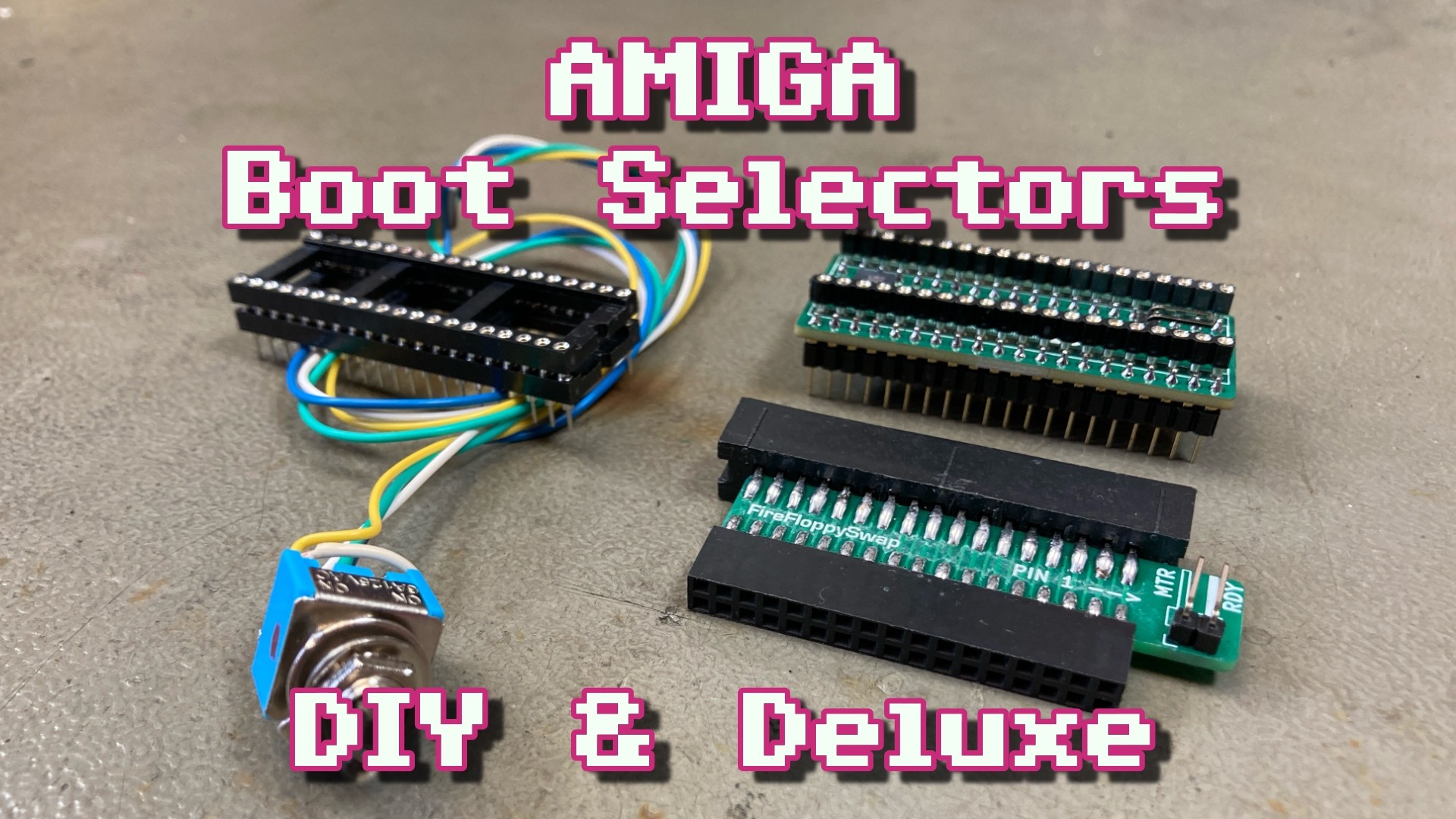
New video! Making a single chip Amiga Kickstart switcher and trying out a boot selector for the A600 and A1200.
YouTube: https://youtu.be/EJ7AFMgJjdQ
PeerTube: https://makertube.net/w/vmBrgvh5roTgJp5GemuQ4g
#Amiga #Commodore #A600 #Amiga600 #Kickstart #KickstartSwitcher #BootSelector #ROM #EPROM #RetroComputing #VintageComputing
Wizard Replay lets you play Wizardry 1-3 and several unauthorized third-party scenarios on your Apple ][, all from the comfort of your ProDOS hard drive.
Version 2.1 upgrades scenarios to Snafaru's "Proving Grounds 3.2" game engine. It fixes the random number generator, restores spells after leaving a "spells fizzle out" area, adds a delay after entering a chute, and improves display of poisoned characters.
https://archive.org/details/WizardReplay
Thanks to @a2_qkumba for everything.
I pushed an update to #DOStodon (the #Mastodon client for MS-DOS):
- Fixed a bug when viewing threads in notification screen.
- Implemented setting for CW toots (default collapsed or visible)
- Fixed dates
- Fixed image viewing
- Added help to toot editor
- Changed some colors
- Updated #curl to 8.9.1
- Added ALT text for image uploads
Grab it at https://github.com/SuperIlu/DOStodon
#Javascript #RetroComputing #MSDOS #CreativeCoding #MastodonClient #FreeDOS #DJGPP #DOjS #accessibility #ImageDescription
In the coming days, I'll post photos of some of the old computers on display.
I'll start with the Amiga 500.
#Commodore #Amiga #Amiga500 #retrocomputers #retrocomputing #retrogaming #computer #computers #tech
Did you know you can still get the src for the DICE C compiler (68000 #ANSI C #compiler) written for the #Amiga in the early 90's by Matthew Dillon?
Itll run on #BSD or #Linux host and can generate generic 68000 output that doesn't have to be targeted to the Amiga. It contains all utilities required to compile, assemble, link, rom, etc, and it's BSD licensed. dmake is needed to compile it on #Unix. It will generate 68K code, Amiga bin, obj, etc
https://apollo.backplane.com/FreeSrc/
#RetroComputing #Commodore
Quick #retrocomputing question...
Where's your nearest #floppy?! and what's on it!
Mine's a diagnostic floppy for a #compaq 286 laptop.
I miss when software contained stuff like this.
(LaserWriter Pro installer app)
Have you ever wished you could create a StuffIt archive on your modern Unix-based Mac with a native open source tool, so you could more easily transfer files to your retro Macs? Well... have fun.
My web shop is open with BurgerDisk and DominoDisk in stock: Apple II SD-based Smartport hard drives that don't make you choose between modern storage and floppy drives.
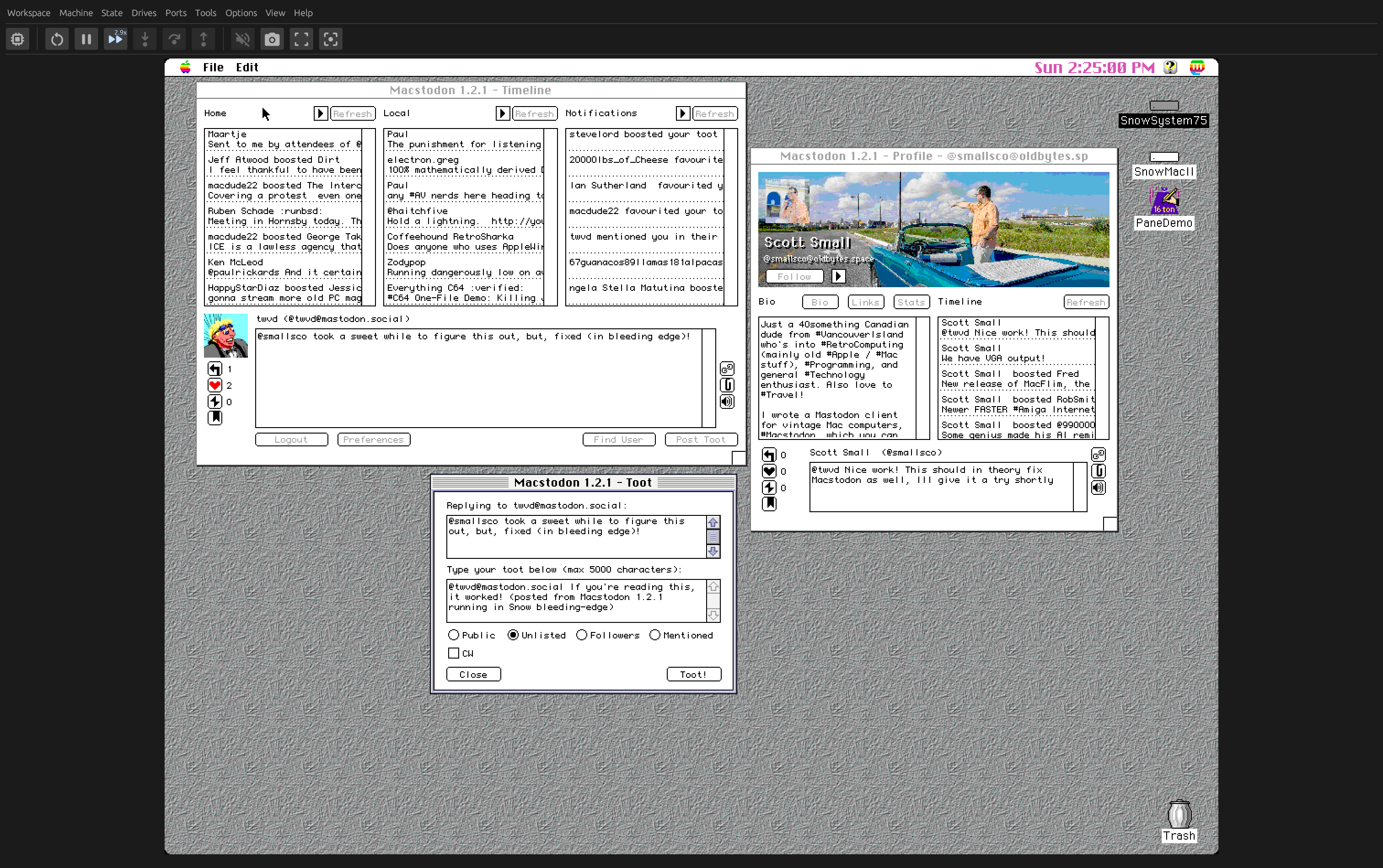
You can use Mastodon on many retro computer systems:
Apple II - https://www.colino.net/wordpress/en/mastodon-for-apple-ii
Apple Macintosh (pre-OS X) - https://github.com/smallsco/macstodon
Commodore 64 - https://github.com/Havoc6502/MOStodon
Commodore Amiga - https://github.com/BlitterStudio/amidon
MS-DOS - https://github.com/SuperIlu/DOStodon
MVS - https://github.com/mainframed/BREXXTODON
Palm OS - https://github.com/knickish/heffalump
Windows 95 - https://github.com/meyskens/mastodon-for-workgroups
https://github.com/retrospectmike/MacDoomSE30
#vintagemac #se30 #retrocomputing
Back in 1979 Sharp made this 'RaTeCaPuter' - Radio, Television, Cassette "Boombox" and, most excitingly, comPuter!
Details in Alt Text, or link in Japanese 🇯🇵!
http://retropc.net/ohishi/museum/ratecaputer.htm
Any recommendations for interesting software/games/demos running on a 386SX-25 with 10MB RAM? Still have another 60MB free on that giant hard drive :) Soundblaster and GUS can be added.
Current favorites already running:
- mTCP
- Windows 3.11
- Norton Commander
- Crystal Dream
- Links 386
- Stunts (barely playable)
- Epic Pinball
Dear lazyweb,
Where does one find the official distribution release of ZSDOS 2.0, the banked-memory version of ZSDOS? It is a greatly improved CP/M BDOS replacement. The original version is found easily enough, but does not have the banked memory support.
All my searches for ZSDOS 2.0 instead hit disk 2 of the original non-banked ZSDOS.
I pushed an update to #DOStodon (the #Mastodon client for MS-DOS):
- Updated DOStodon binaries to latest #DOjS release v1.14.0
Grab it at https://github.com/SuperIlu/DOStodon
Screenshot is showing both, the DOS ( @DOSBox_Staging ) and the the win32 version (Win10).
#Javascript #RetroComputing #MSDOS #CreativeCoding #MastodonClient #FreeDOS #DJGPP
I just released v1.14.0 of #DOjS on https://github.com/SuperIlu/DOjS/releases/tag/v1.140
New Features:
- SMK file playback via libsmacker
- #C64 SID playback using cRSID
- #EXIF data reading
- Sound synthesis based on MicroModSynth from @benhencke
See thread below for more release details!
#MSDOS #DOSGaming #retrocomputing #JavaScript #FreeDOS #creativecoding #p5js #retrodev #retrodevelopment #3dfx #OpenGL #Processing
1/
z386: An Open-Source 80386 Built Around Original Microcode - Small Things Retro via @rk https://lobste.rs/s/lcrlcb #hardware #retrocomputing
https://nand2mario.github.io/posts/2026/z386/