
Linux users are not allowed to make fun of Microsoft for breaking things and making the user experience generally worse as long as Wayland exists
#Linux #Ubuntu #Wayland #Tech #Technology
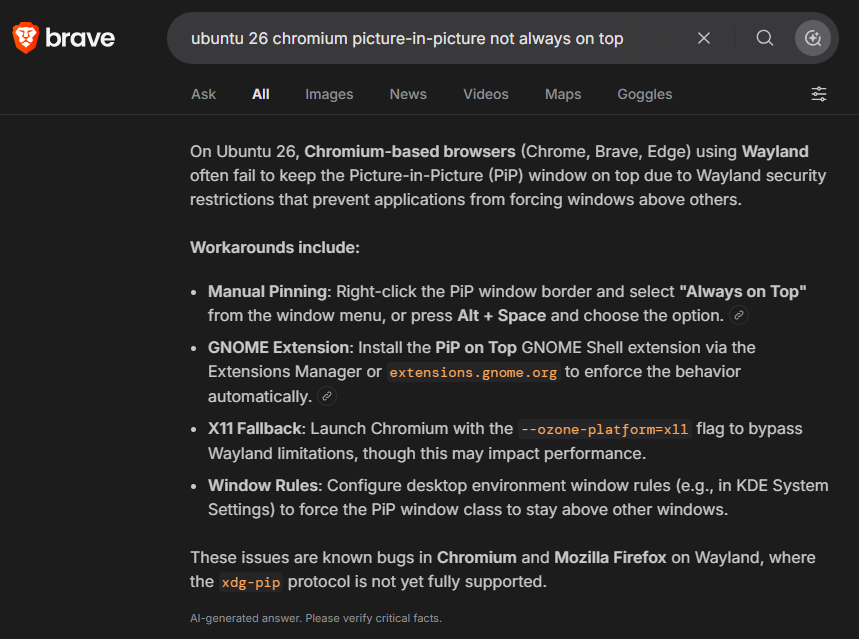
Linux users are not allowed to make fun of Microsoft for breaking things and making the user experience generally worse as long as Wayland exists
#Linux #Ubuntu #Wayland #Tech #Technology
Epic's EAC2 v2 seems fairly easily bypassable https://lobste.rs/s/1iin5o #linux #security
https://codon.org.uk/~mjg59/blog/p/epics-eac2-v2-seems-fairly-easily-bypassable/
PwnEscape: Guest-to-Host KVM Escape (CVE-2026-99999) https://lobste.rs/s/np84oh #linux #security #virtualization
https://pwn.ai/blog/pwnescape
Does moving a GPU server's request loop into the kernel save CPU? https://lobste.rs/s/6himy4 #ai #linux
https://eunomia.dev/blog/2026/10/17/bpf-gpu-server/
#!/bin/shCurious how many dwm users do something similar vs bars / mouse menus.
ROOT=doas
# Open a terminal (st) with the given title and command
# example: st -t terminal_title -e command
term() {
st -t "$1" -e "${@:2}"
}
choice=$(printf "%s\n" \
"Browser" \
"Terminal" \
"IRC" \
"Mail" \
"PDF" \
"Editor" \
"Files" \
"Mixer" \
"WiFi" \
"Bluetooth" \
"Reboot" \
"Shutdown" |
dmenu -i -l 12 -p "Menu" \
-fn "Iosevka Term-11" \
-nb '#000000' -nf '#ffffff' \
-sb '#005f87' -sf '#ffffff')
case "$choice" in
Browser) firefox ;;
Terminal) term st tmux ;;
IRC) term senpai senpai ;;
Mail) term mutt mutt ;;
PDF) pdf-open.sh ;;
Editor) geany ;;
Files) term fff fff ;;
Mixer) term alsamixer alsamixer ;;
WiFi) term wifitui "$ROOT" wifitui ;;
Bluetooth) blueman-manager ;;
Reboot) "$ROOT" /sbin/reboot ;;
Shutdown) "$ROOT" /sbin/poweroff ;;
esac
Real-time Software On Linux: How Hard Can It Be? via @noelle https://lobste.rs/s/jp6tfb #video #linux #zig
https://www.youtube.com/watch?v=-0D0rFdU6HY