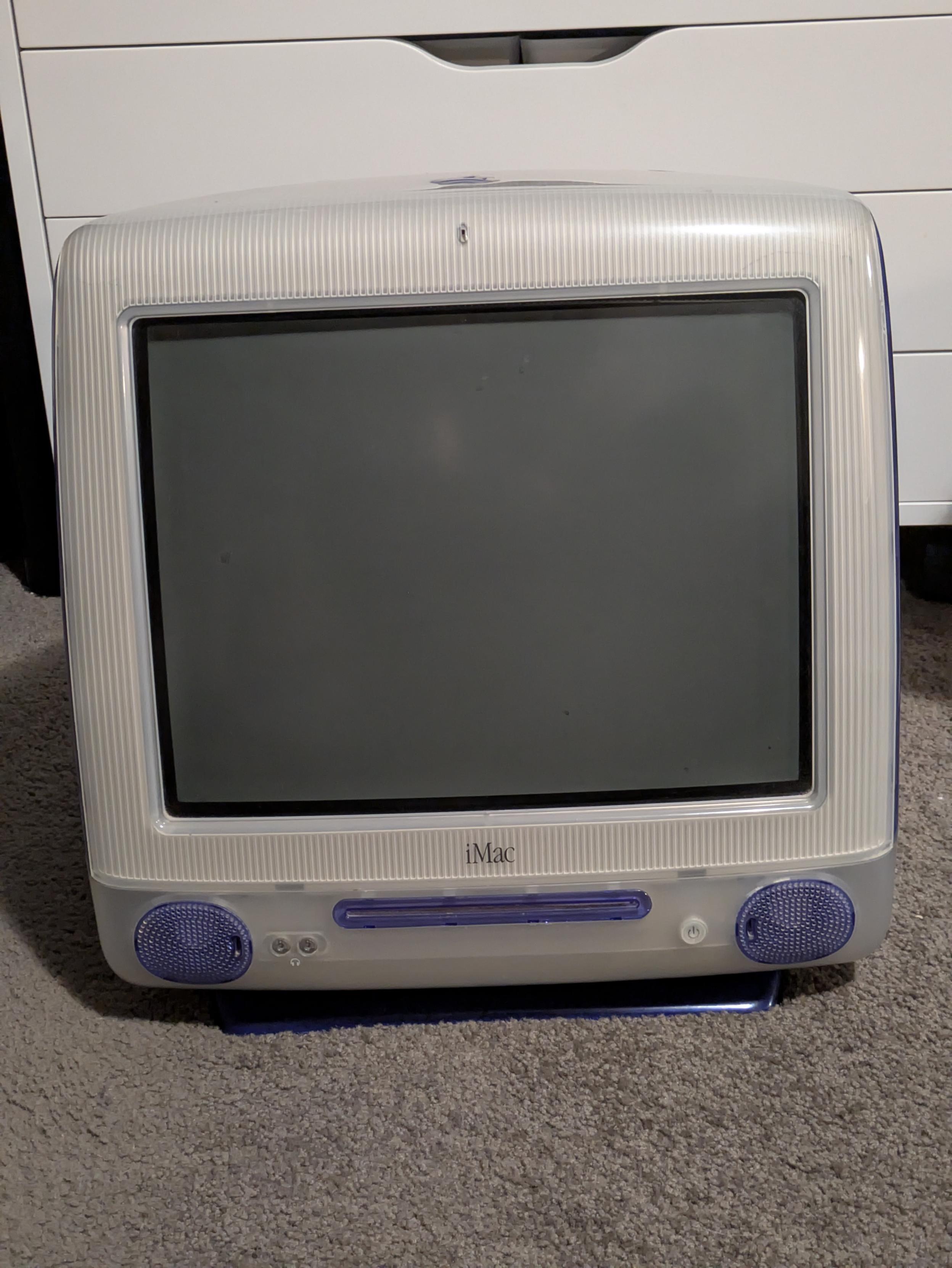
This 2011 #iMac has been running #Debian since version 10. Still kicking on the original install. It's maybe a little remarkable. The Mac has its original 1 TB spinning drive, which I haven't wanted to replace since that would require removing the screen. I'm too lazy for that. I did stuff it with 20 GB of RAM, and that makes it usable in the 2020s.
imac
Suspend/resume under #Debian has been extremely reliable on the 2011 #iMac 27-inch for a long time. I have been running Debian for so long on this hardware. I think I started with Debian 10 and have been upgrading in place ever since.
Recently I switched from Wayland to X11 because some Electron-based apps are having severe graphics issues that X tends to clear up. It's mostly Signal. I gave up on Slack long ago, though I bet running X would fix that, too.
But since logging in with X11, suspend/resume is broken, and I keep this desktop suspended a LOT of the time. I'm now back on Wayland. Let's see if that resolves it.
Recently I switched from Wayland to X11 because some Electron-based apps are having severe graphics issues that X tends to clear up. It's mostly Signal. I gave up on Slack long ago, though I bet running X would fix that, too.
But since logging in with X11, suspend/resume is broken, and I keep this desktop suspended a LOT of the time. I'm now back on Wayland. Let's see if that resolves it.
I made some progress on solving my graphics issues for #Electron apps on #Flatpak in #Debian 13 with #GNOME and #Wayland on my 2011 #iMac 27-inch:
Note: All of these problems also go away in an X11 session, but that breaks suspend/resume on this iMac, so I'm committed to staying in Wayland.
More details when I do a post on this.
- For Spotify, turning off GPU acceleration in Flatseal
- For Signal, copy the contents of the
.desktopfile into a new .desktop file in the local directory where those go, and modify theexecline to add--disable-gpu
Note: All of these problems also go away in an X11 session, but that breaks suspend/resume on this iMac, so I'm committed to staying in Wayland.
More details when I do a post on this.

#Apple #iMac and #retrocomputing friends, I've just been handed a slot-loading iMac (running MacOS 9.2) that ran fine for five minutes... Then for the next five minutes, there was an occasional visual glitch with a softly audible sound every now and then, and then it abruptly switched off. Looked totally fine up until then.
Is this likely an internal PSU issue? How easy/awful is that to replace these days? I haven't touched one of these in 20 years and never did hardware support on them.