So, I'm facing a weird issue with my #fedora workstation. The filesystem goes "read-only" at random times and I dont know why. I've do a reboot to fix it. Do you have any idea about this and how to fix it ?
Edited 1y ago
So, I'm facing a weird issue with my #fedora workstation. The filesystem goes "read-only" at random times and I dont know why. I've do a reboot to fix it. Do you have any idea about this and how to fix it ?
phosh 0.47.0 is out 🚀📱:
This release is a bit smaller than the previous two as we spent more time on other parts of the #LinuxMobile stack but there's still some 🐛 fixes and improvements, check out the full release
notes at https://phosh.mobi/releases/rel-0.47.0/ for details or see 👇 for a short 🧵
🙏 to everyone who contributed to this release.
#phosh #Librem5 #PinePhone #gtk #wlroots #gnome #linux #mobile
My week with Linux: I'm dumping Windows … to see how it goes | Tom's Hardware
#FOSS is all about options:
- I chose not to use #RedHat systems 28 years ago.
- I chose not te use #GNOME 15 years ago
- I chose not to use #SystemD 6 years ago.
- I choose to accelerate the migration of all the #Linux based systems I can to #BSD systems because:
- I choose to keep up with the #UNIX way
- I choose to use stable systems which don't change for the sake of change
- I choose to be part of healthier communities, that don't promote monoculture or fall so easily into arrogance
hey everyone,
you may have guessed reading between the lines, but I lost my job in the recent tech layoffs…
also burnt out and realised I need to go back to working on stuff I care about.
I hope to gather enough small monthly sponsors to at least cover the bills, so I can:
- 🖥️ create beautiful apps for #Linux / #GNOME
- ✏️ provide free #design support to #OpenSource projects
if you like my work, please consider $1/month to make this possible?
thank you. :)
Review of GNOME Core App Image Viewer (Loupe)
A complete review of GNOME Image Viewer (Loupe) application with overview, advantages, criticisms, image formats, keyboard shortcuts, and install.
https://www.adamsdesk.com/posts/review-gnome-core-app-loupe/
Presenting Fedora Linux 44!
This release brings @gnome 50, @kde Plasma 6.6, tweaks to the Anaconda installer, and more!
Thank you to all of the contributors for another successful release. We hope you enjoy it!
.desktop file into a new .desktop file in the local directory where those go, and modify the exec line to add --disable-gpuFür BackupPilot werden weitere Tester gesucht.
BackupPilot ist ein Linux-Frontend für den Proxmox Backup Client mit Unterstützung für mehrere Backup-Profile, Zeitpläne, Verschlüsselung und Wiederherstellung.
Aktuell stehen .deb, .rpm und Flatpak Pakete zur Verfügung.
Proxmox Forum:
https://forum.proxmox.com/threads/erste-testuser-f%C3%BCr-backuppilot-gesucht.183740/
#Linux #Proxmox #Backup #OpenSource #SelfHosted #GNOME #KDE #Flatpak #RPM #Debian #RHEL


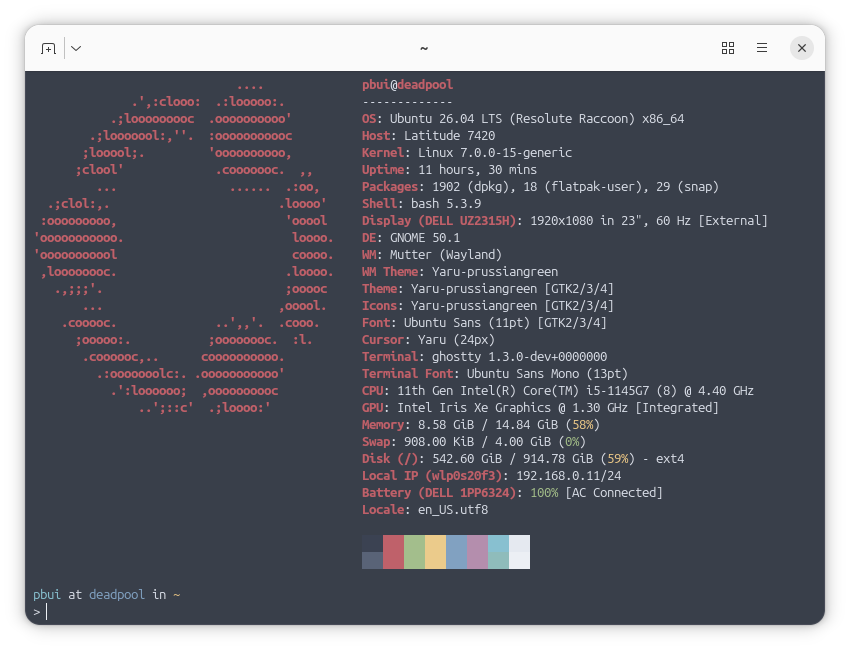
After some reflection... I've decided to stick with #ubuntu for another two years and have upgraded all my machines (3 desktops, 4 servers) to 26.04 by doing:
$ sudo do-release-upgrade -d
On the desktop side, things went pretty smoothly and I only had to do the following after the update completed:
1. Resolve some configuration file conflicts, notably rsnapshot, nginx, and grub. For these, mostly used vimdiff afterwards to merge the maintainer's version into the local file.
2. Update apt sources in /etc/apt/sources.list.d. During upgraded, all third party repos are disabled and so afterwards, I had to go and re-enable or update them. Fortunately, I only had a few: google (chrome), steam, and weechat.
3. After updating, Ubuntu pro was not enabled for some reason (though I was enrolled and registered). To fix this, I did: "sudo pro enable livepatch" which also enabled the ESM repos.
That said, not everything was perfect:
1. On my laptop with a 1080p LCD, the default scaling was set to 125% instead of 100% due to it being a smaller screen (14in physically). I did not appreciate this... but I think once you set it to 100% it will be remembered.
2. The OSD for switching inputs is too small and so the text is truncated as shown in the video
3. Epiphany (aka #gnome web) was only version 49 and the font rendering was... blurry. Because of this, I switched back to #firefox (crazy I know) both on the desktop and mobile.
4. I am not a fan of the new default terminal ptyxis, so I installed #ghostty and am using that instead. My issues with ptyxis is that the window decoration does not follow the default color scheme and that it tries to do a bit too much. I did make a custom palette for ptyxis but it still did not behave right (ie. dimming), so I'm just using #ghostty (despite it having a bug with opening off centered with custom window width/height).
On the server side, the upgrades appeared to be fine... until I realized things were not working. In particular a few services stopped working due to #apparmor
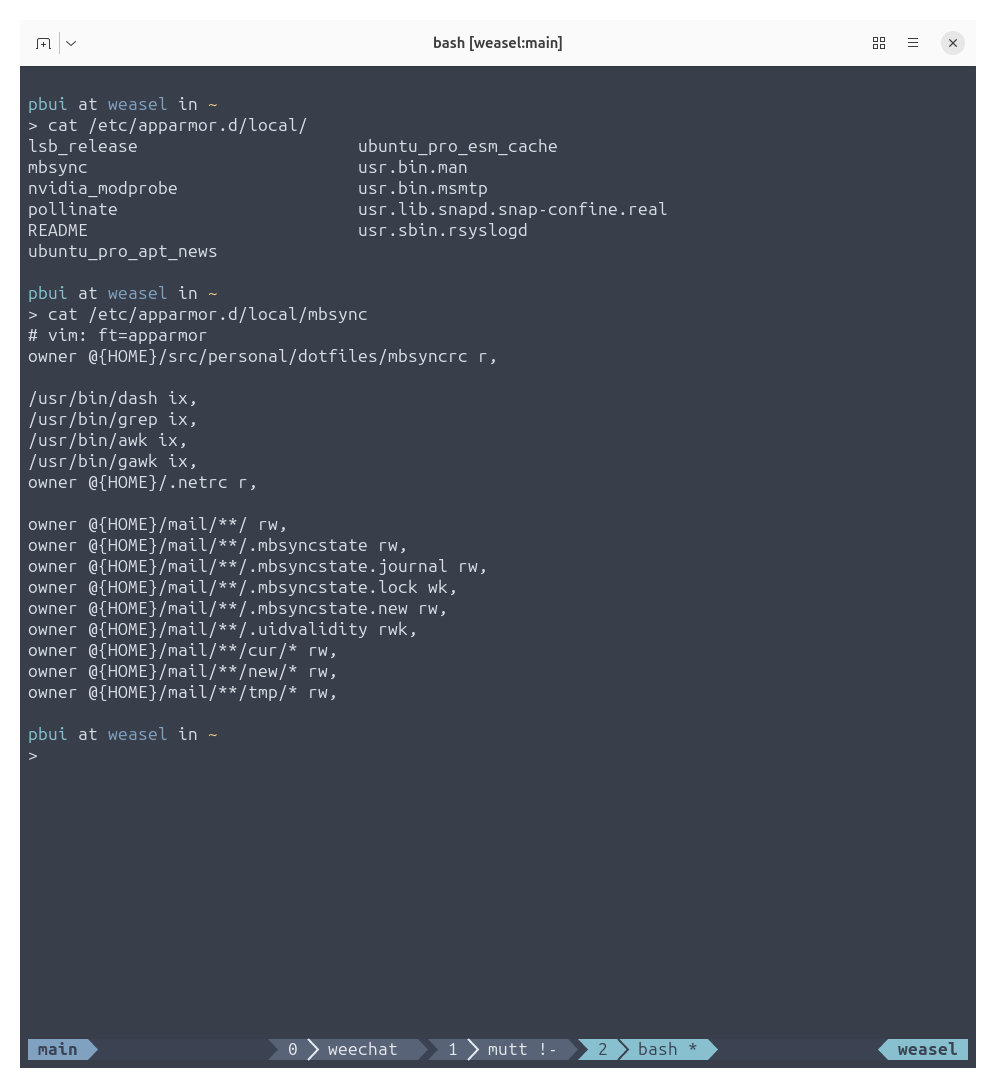
1. I had to write a custom apparmor profile for mbsync as shown below.
2. For wireguard and znc, I could not figure out how to write an appropriate apparmor profile, so I installed apparmor-utils and then did "sudo aa-complain" on the corresponding apparmor profiles to put them in complain mode (ie. audit but don't enforce)
I think this last part (the stricter apparmor profiles) will probably bite a lot of people... particularly if you tend to use custom file locations for data and configs, so be warned!
Despite these hiccups, things appear to be running smoothly for now... :}
The Linux/Unix Default Home Directory Receives An Update
Learn of about the recent update to Freedesktop.org’s XDG User Directories that adds a new directory to a GNU/Linux and Unix default home directory.
https://www.adamsdesk.com/posts/xdg-user-dir-linux-unix-new-default-directory/
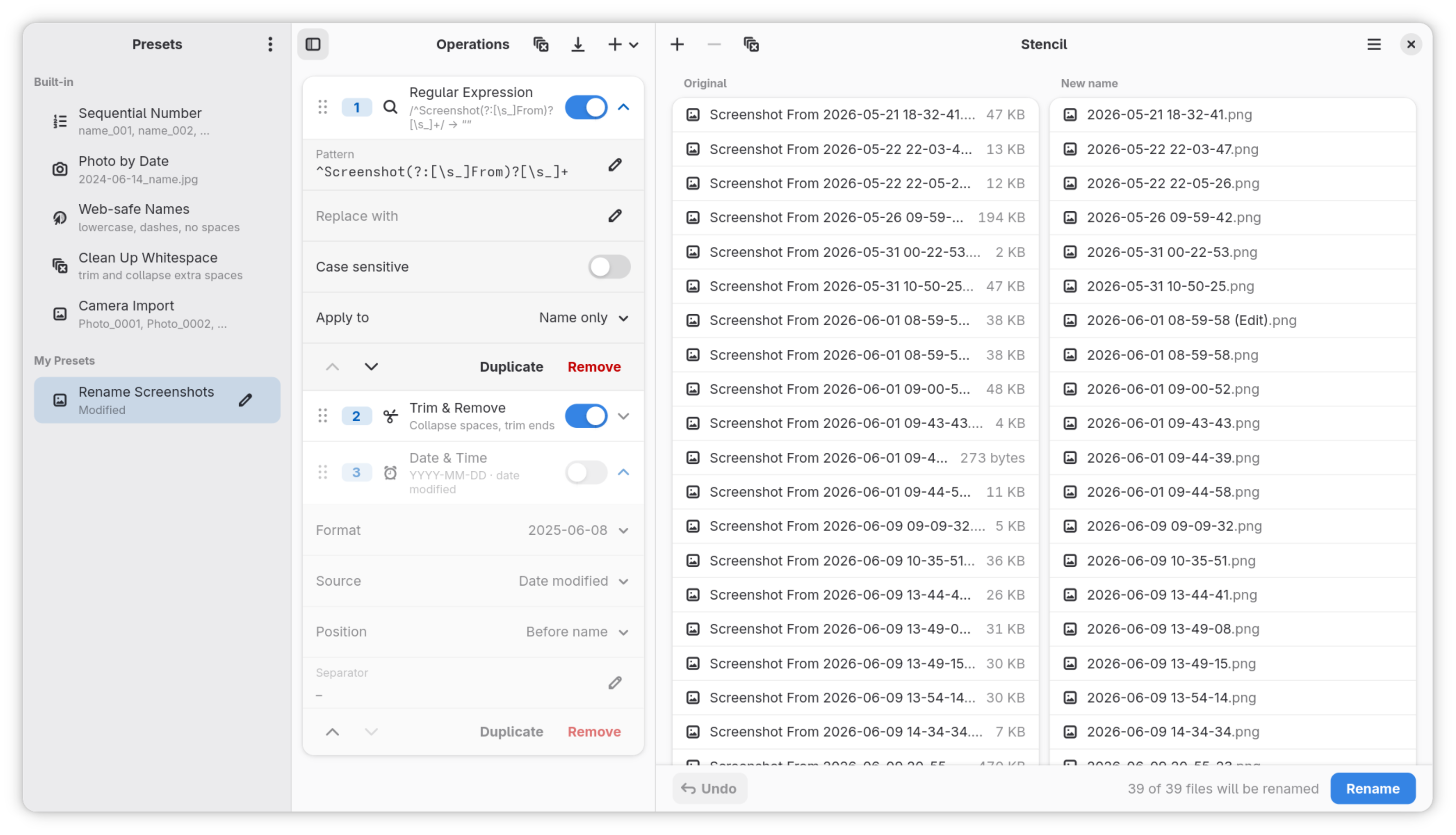
I'm proud to release my first public app for #GNOME: Stencil, a powerful file renaming utility. Written in Rust and using #GTK4 / #libadwaita. I'm going to put it onto Flathub eventually, for now grab the flatpak from the Releases page and install manually. Let me know what you think. Contributions and improvement suggestions are very welcome! Get Stencil on its Codeberg repo: https://codeberg.org/fouquet/Stencil
#Stencil, my file renaming utility for #GNOME, is now available on #Flathub! Get it while it's hot.
Disable & Remove Window is Ready Notifications in GNOME Shell
Eliminate the annoyance by disabling and removing “Window is Ready” notifications in GNOME Shell with this convenient comprehensive guide.
https://www.adamsdesk.com/posts/gnome-disable-remove-window-is-ready-notification/
Okay, hi everyone
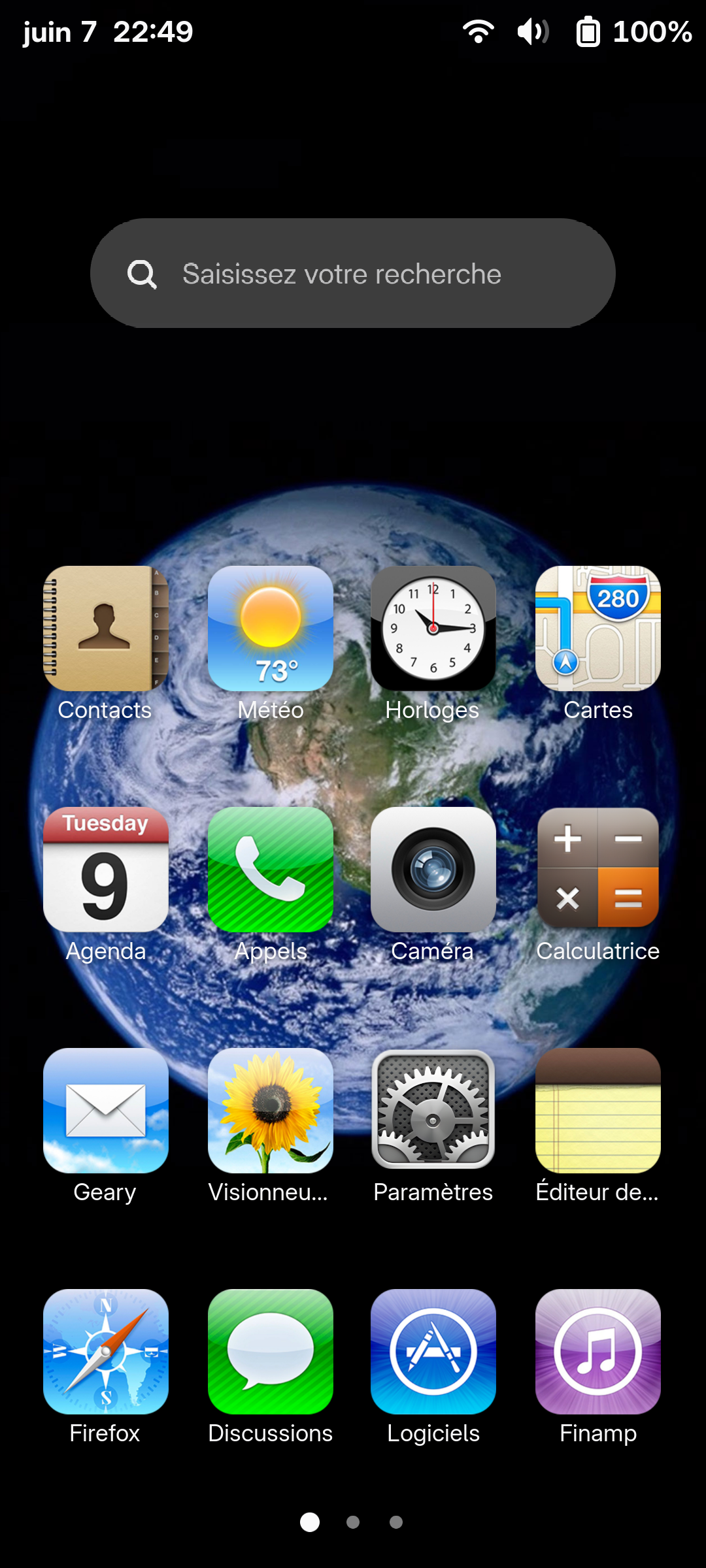
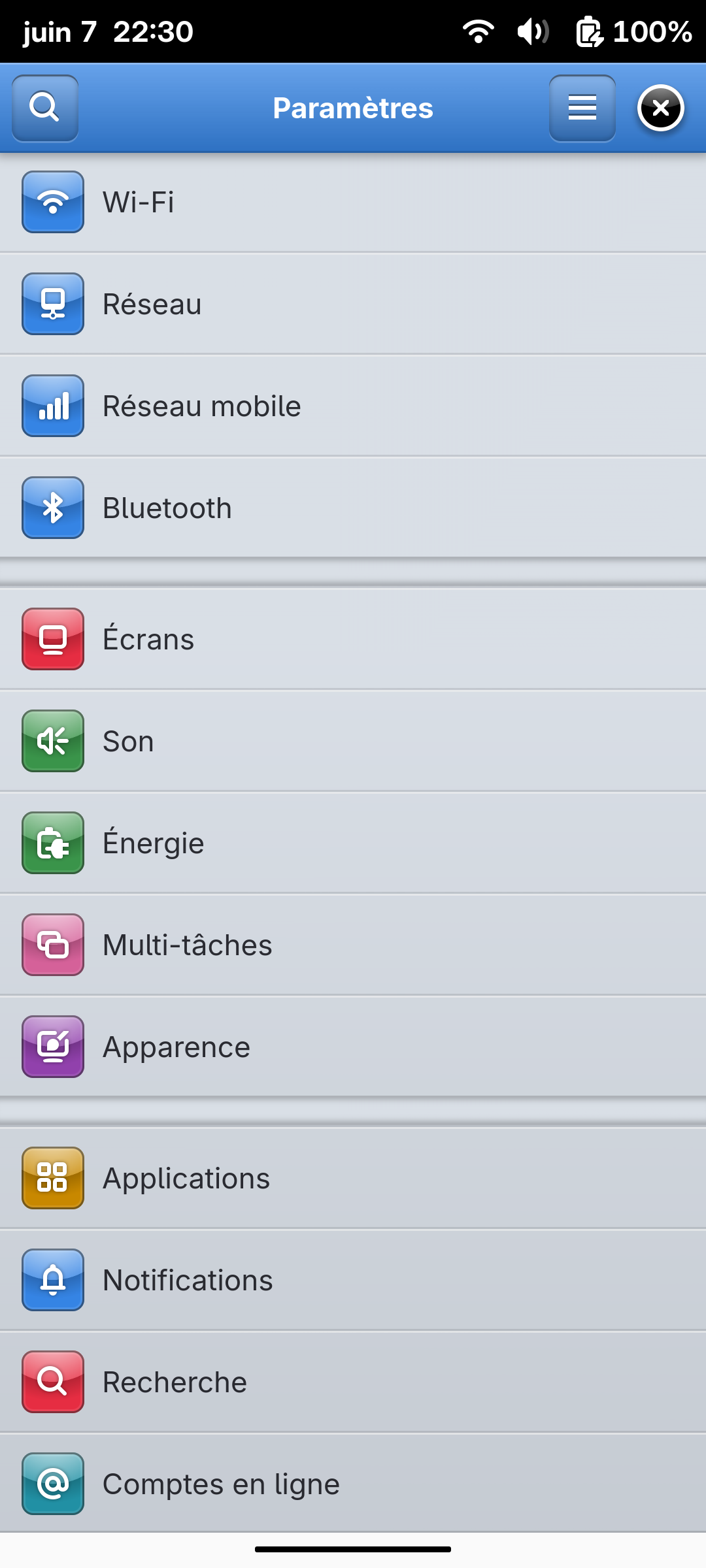
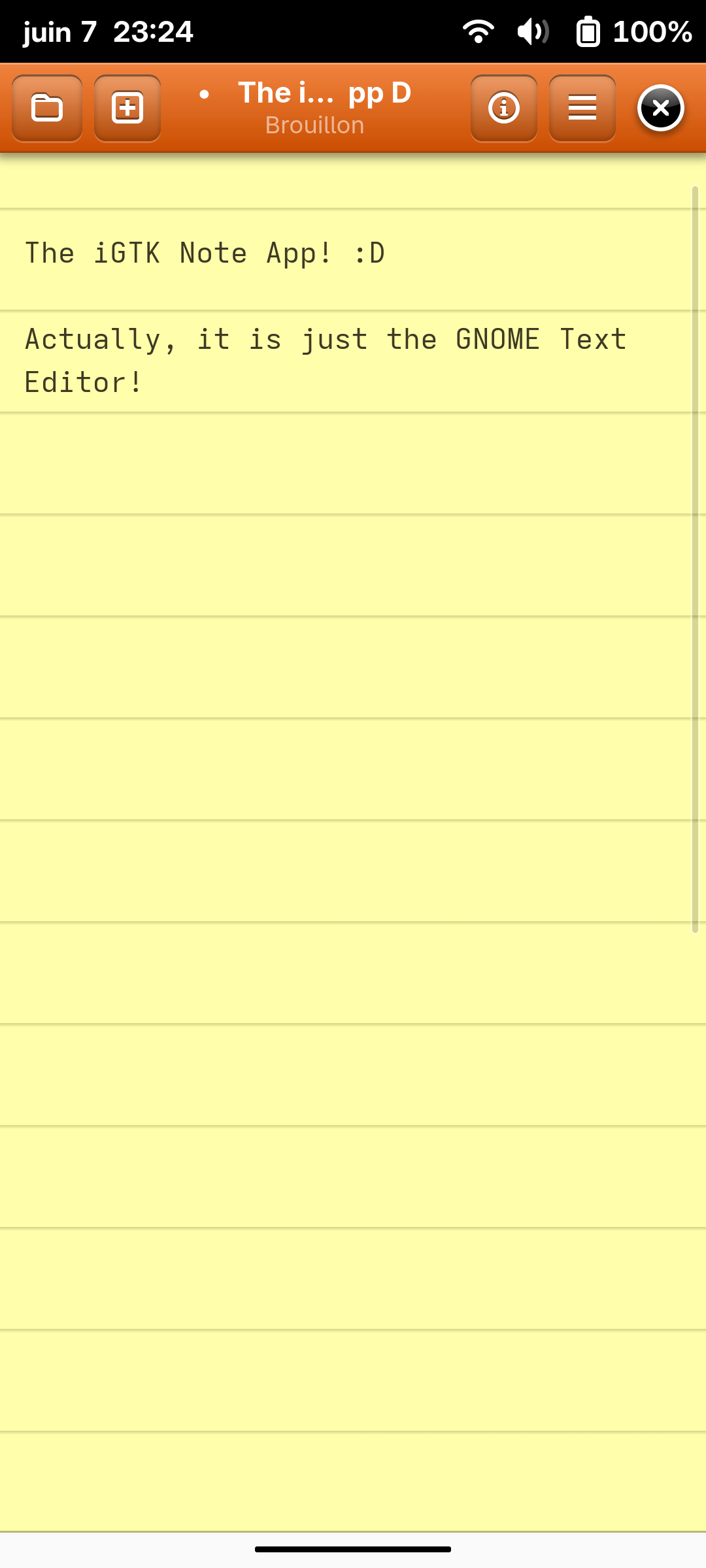
This weekend, after a random toot from @alice in my TL, I found myself in a rabbit hole to enhance and create an iOS 6 theme for GTK4. It's not much, it has some rough edges, but damn it looks so cool, and I'm so proud of this!!
If you wanna help with design or add icons, please feel free to do so!
The code and install instructions lives here : https://gitlab.com/Krafting/igtk-theme
#gnome #gtk #libadwaita #ios #apple #gnomemobile #mobilelinux #retrocomputing #ios6 #linux #postmarketos
Change Default Linux/Unix Image Viewer Application
Use this complete guide to change the default image viewer application for a graphical desktop environment on a GNU/Linux or Unix operating system.
https://www.adamsdesk.com/posts/change-default-linux-unix-image-viewer/
phosh 0.56.0 is out 🚀📱:
There's new features - most notably for immutable OSes, 🐛 fixes and improvements.
Check out the full release notes at https://phosh.mobi/releases/rel-0.56.0/ for details or see 👇 for a short 🧵
🙏 to everyone who contributed to this release.
#phosh #gtk #wlroots #gnome #linux #mobile #LinuxMobile #Librem5 #PinePhone #Duranium #BengalOS
🌗 GNOME 50 劃下句點:X11 時代終結,Wayland 邁入新紀元
➤ 告別 X11,迎接 Wayland:GNOME 50 帶來桌面顯示技術的重大變革
✤ https://linuxiac.com/gnome-50-ends-the-x11-era-after-decades/
GNOME 50 版本標誌著 X11 顯示伺服器的時代正式結束,GNOME 專案在歷經漫長的演進後,已完全遷移至 Wayland 作為預設的顯示協定。雖然 X11 核心程式碼已從 Mutter 和 GNOME Shell 中移除,但透過 XWayland 相容層,傳統 X11 應用程式仍可在 Wayland 環境下運作。此舉讓 GNOME 團隊能更專注於 Wayland 特有的功能開發,如 HDR、色彩管理和輸入處理等,預計將為使用者帶來更佳的桌面體驗。
+ 標題有點誤導,GNOME 50 並不能結束整個 X11 時代,GNOME 的影響力也不是那麼廣泛,它頂多隻能結束 GNOME 自己對 X11 的支援。
+ Wayland 終於要成為主
#Linux #GNOME #Wayland #X11




 🍵