
Registration is now open for #openSUSE Conference 2026, happening June 25–27 in Nuremberg. Whether you're passionate about #cloud, #containers, #community, or sustainability, submit your talk or workshop by April 30. #Linux #opensource https://news.opensuse.org/2026/01/19/submit-an-osc-presentation/
opensource

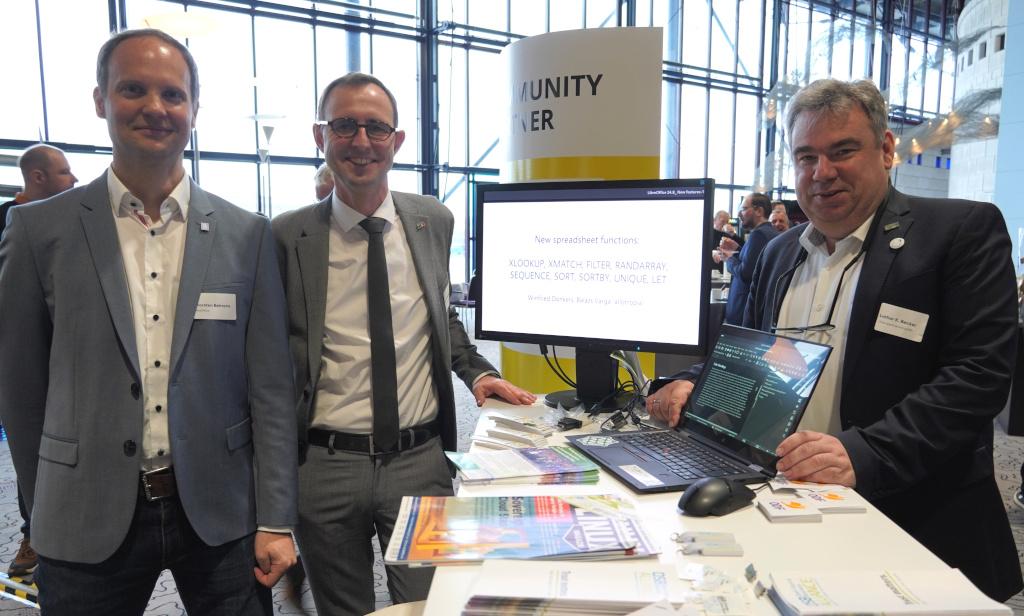
30,000 PCs are moving from Microsoft Office to #LibreOffice in the German state of Schleswig-Holstein. At the recent Univention Summit 2025, we met the people handling the migration: https://blog.documentfoundation.org/blog/2025/02/05/libreoffice-at-the-univention-summit-2025/ #foss #opensource #freesoftware

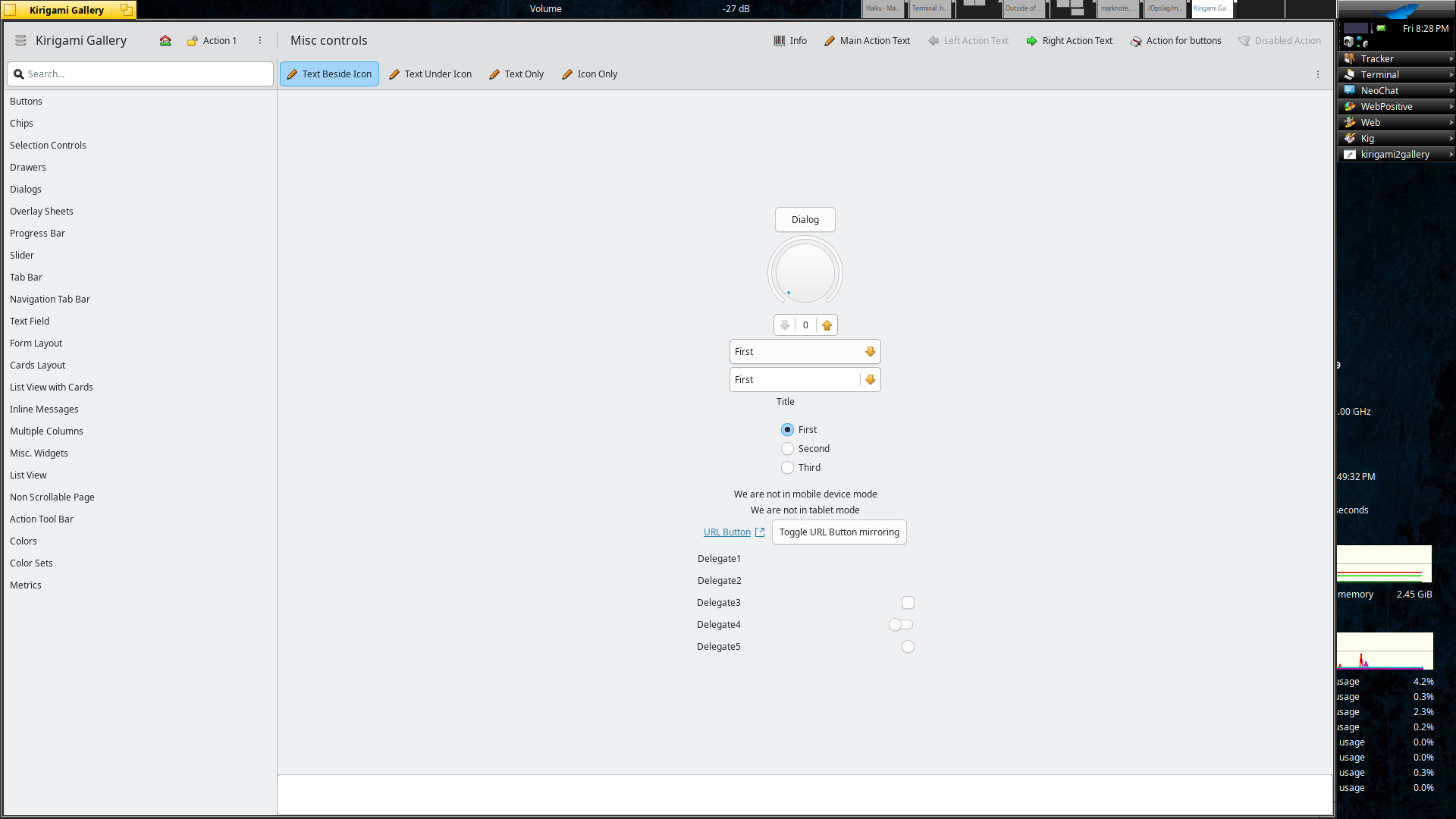
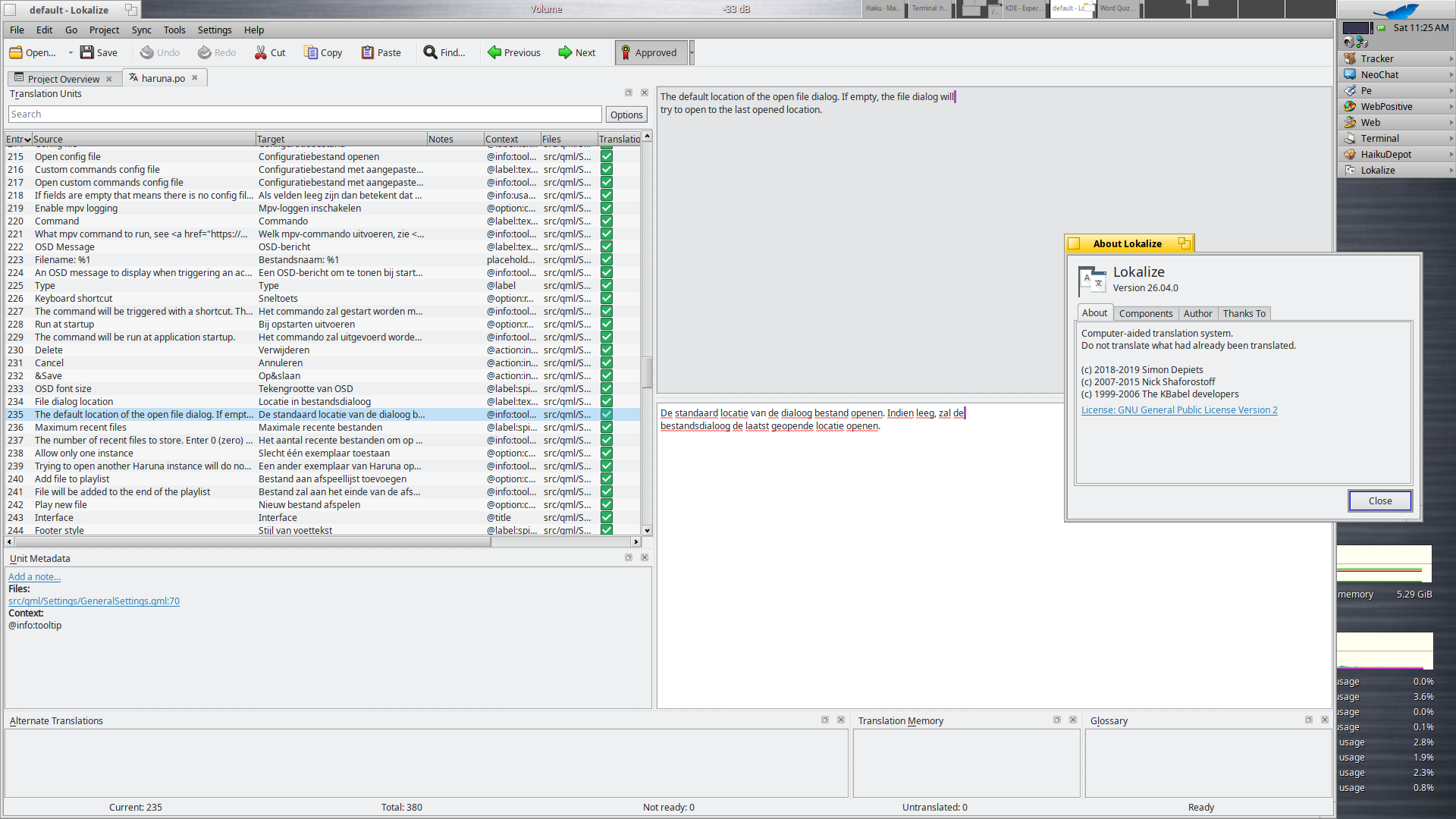
KDE's gear26 (26.04.0) now also released for the Haiku people, a few applications are still a wip but should be online in the near future. Thanks upstream on the update!
In total 120 updated recipes have been involved including libraries and applications.
For a list of new features, look up at:
New are Kirigami Gallery (with qqc2_breeze_style) and Lokalize.
https://kde.org/announcements/gear/26.04.0/
#HaikuOS #haikuports #KDE #gear #opensource #software #Kirigami #Lokalize
Edited 144d ago

#running folk, is there an #openSource EU-based (or anywhere except the USA, Russia and China) alternative to track running sessions?
I don't need advanced metrics, just GPS tracking for distance, pace and duration.
So far I've been using Map My Run. It's not open source but it used to be Canadian.
Edited 228d ago

Django got selected in Google Summer of Code 2025—our 20th consecutive year as a mentoring organization! 🎉
For two decades, we've welcomed contributors through GSoC, bringing fresh ideas, innovation, and long-term community members to Django.
🧵 1/5
#GSoC #Django #Opensource
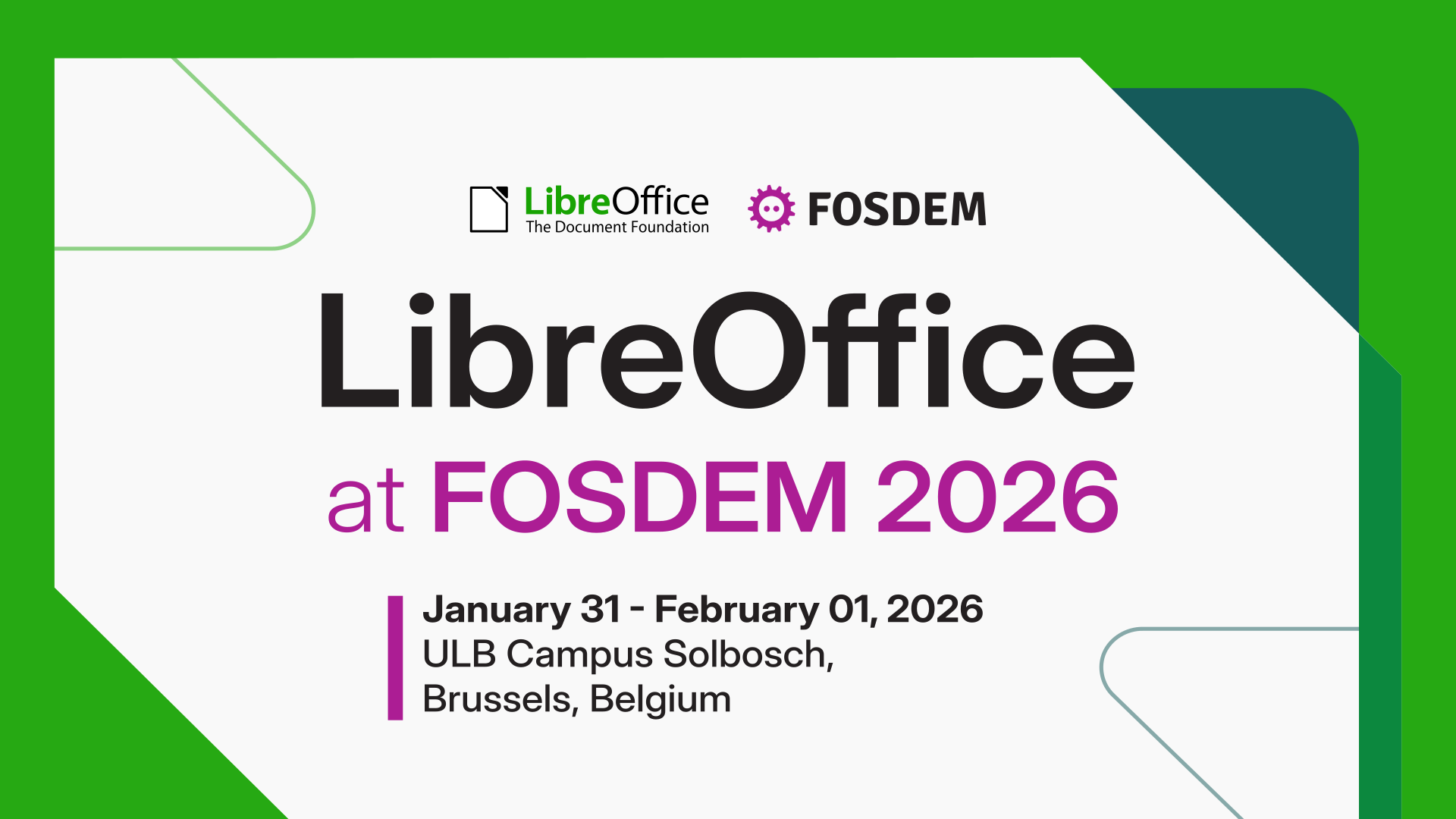
FOSDEM is the biggest free and open source software (FOSS) event in Europe, and will take place on 31 January and 1 February in Brussels, Belgium. And the #LibreOffice project and community will be there! Meet us and grab cool merchandise: https://blog.documentfoundation.org/blog/2026/01/22/meet-the-libreoffice-community-at-fosdem-2026/ #foss #openSource #freesoftware
LibreOffice 25.2.1 is now available – the first minor release in our new branch of the suite. All users are recommended to update: https://blog.documentfoundation.org/blog/2025/02/27/announcement-of-libreoffice-25-2-1/ #foss #OpenSource


Arcane Cache: Review to Glittering Light 2
A ASCII art game that breaks with quite some conventions in a wonderful way. Instead of moving an @ through a maze of lines, it feels like moving through a strange, mysterious world ... a game with a limited, set scope, where the atmosphere and the fundamental idea of the game are much more important than the balance or the gameplay ... a parabola on life itself.
https://thunderperfectwitchcraft.org/arcane_cache/2025/02/06/glittering-light-2/
#game #videogame #indiegame #gamedev #indiegamedev #undergroundgame #exploration #2D #surreal #art #digitalart #opensource #freesoftware #freegame #free #libre #gaming #browser #indie #review #underground #ASCII #text #roguelike #crawler #rpg #crawl #rogue #angband #retro #text #experimental
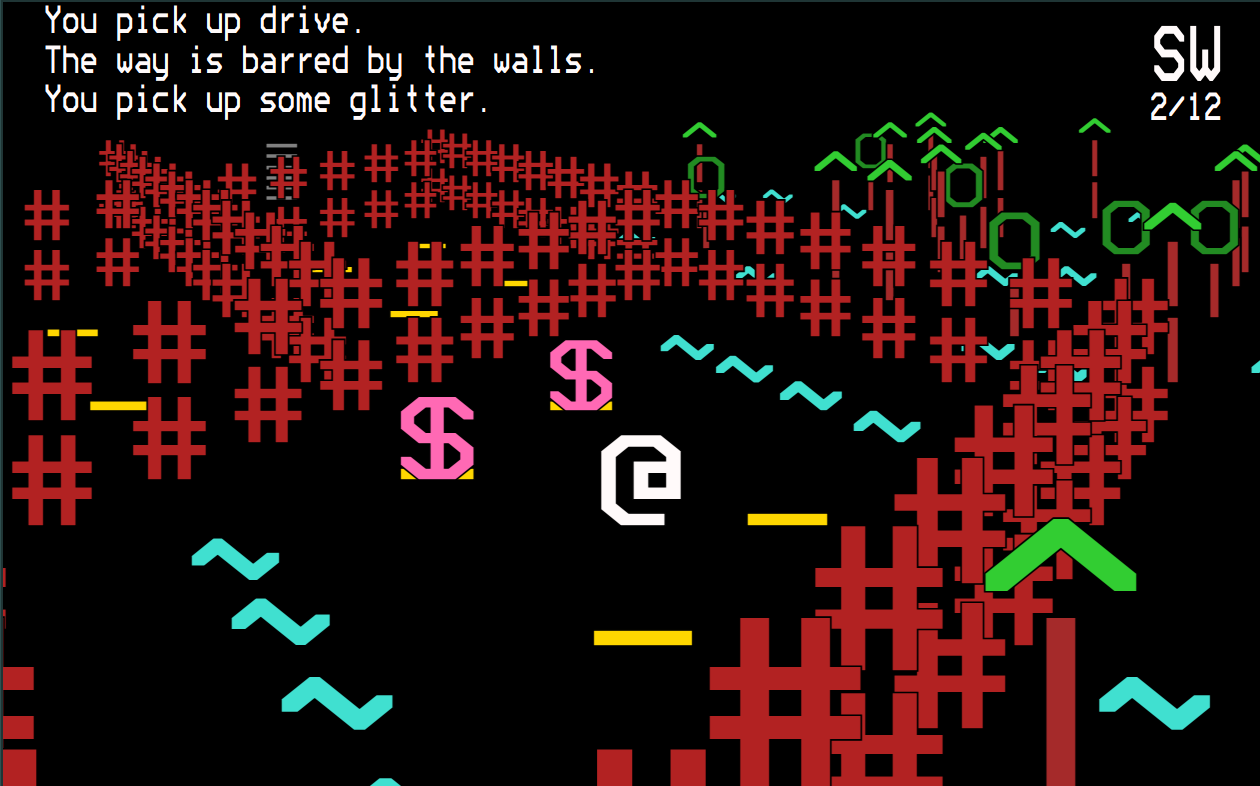
A ASCII art game that breaks with quite some conventions in a wonderful way. Instead of moving an @ through a maze of lines, it feels like moving through a strange, mysterious world ... a game with a limited, set scope, where the atmosphere and the fundamental idea of the game are much more important than the balance or the gameplay ... a parabola on life itself.
https://thunderperfectwitchcraft.org/arcane_cache/2025/02/06/glittering-light-2/
#game #videogame #indiegame #gamedev #indiegamedev #undergroundgame #exploration #2D #surreal #art #digitalart #opensource #freesoftware #freegame #free #libre #gaming #browser #indie #review #underground #ASCII #text #roguelike #crawler #rpg #crawl #rogue #angband #retro #text #experimental
Edited 1y ago

I usually use this story of blind men describing an elephant to explain difference between #FreeSoftware and #OpenSource.
https://en.wikipedia.org/wiki/Blind_men_and_an_elephant
A very widespread misunderstanding equates #copyleft with #FreeSoftware and permissive licenses with #OpenSource.
In almost all practical cases you are referring to the same software.
The difference is what you focus on and this focus difference gives you different conclusions. So I focus on 4 freedoms for every user ie, copyleft Free Software.
Edited 228d ago

#PegaProx as a multi-cluster, node & vm manager for #Proxmox based systems is just around the corner!
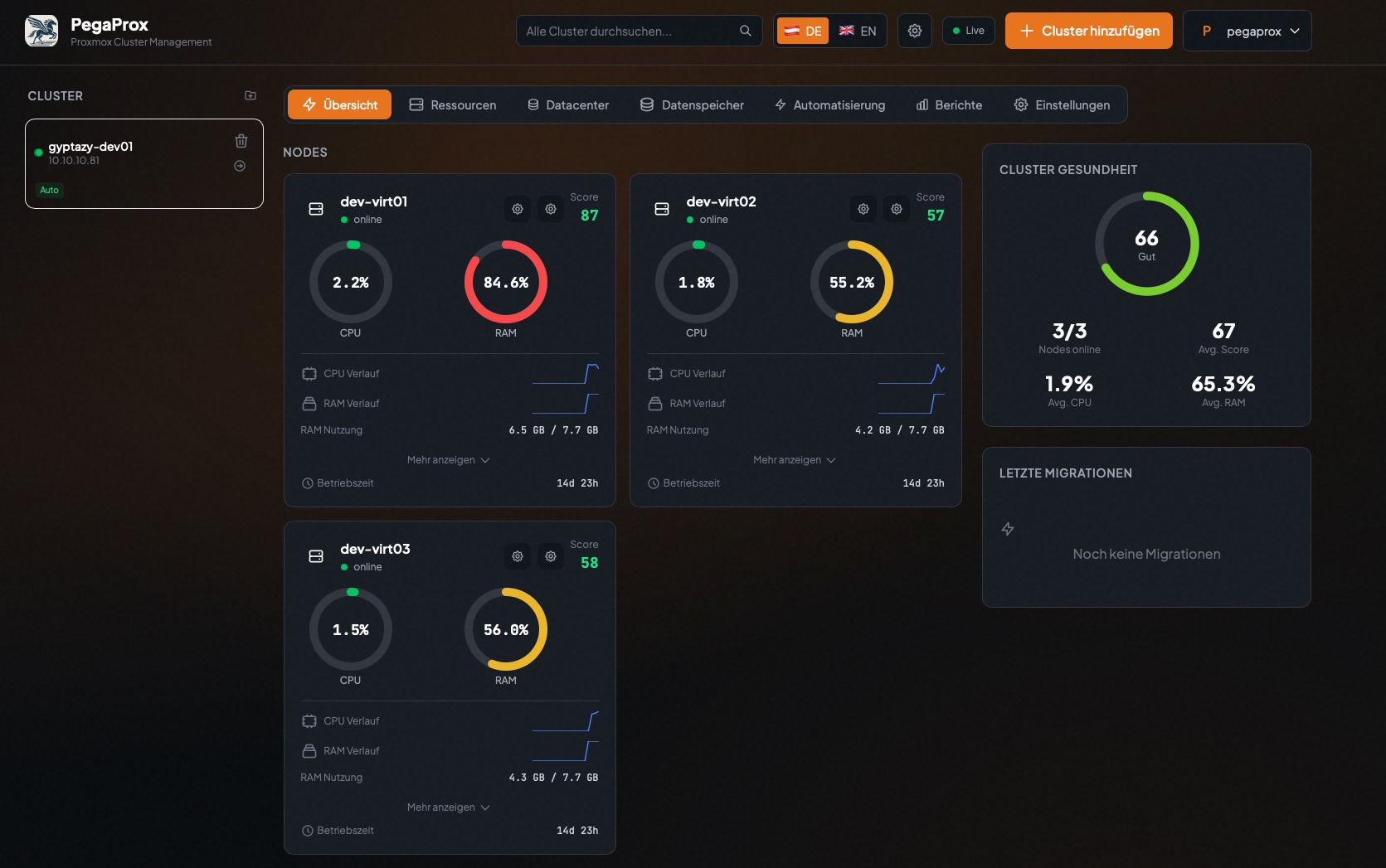
PegaProx steps in as a real manager with a feature set that you might already know from enterprise solutions which simplifies and standardizes the management of Proxmox based infrastructures.
Each capability focuses on reducing operational complexity while giving operators full control over clusters, nodes, storage, and virtual machines like:
This will become a game changer for Proxmox users - especially in enterprises which adds all the often requested but missing functions!
You can already find my first insights about it in my blog post: https://gyptazy.com/blog/pegaprox-real-datacenter-manager-proxmox-clusters/
#PVE #enterprise #virtualization #management #python #ProxmoxVE #opensource #ProxLB #ProxCLMC #ProxSnap
PegaProx steps in as a real manager with a feature set that you might already know from enterprise solutions which simplifies and standardizes the management of Proxmox based infrastructures.
Each capability focuses on reducing operational complexity while giving operators full control over clusters, nodes, storage, and virtual machines like:
Unified Multi Cluster Management
Node and Cluster Monitoring
User & Group Management
Semi-automated Node Security Patch Management
Cross Cluster Migration
Virtual Machine & Container Management
CPU Alignment over Nodes for safe VM live-migrations
Intelligent Load Balancing for VMs
Intelligent Load Balancing for Storage
High Availability and Failover
User-, Group- & Tenancy Management
And much more...
This will become a game changer for Proxmox users - especially in enterprises which adds all the often requested but missing functions!
You can already find my first insights about it in my blog post: https://gyptazy.com/blog/pegaprox-real-datacenter-manager-proxmox-clusters/
#PVE #enterprise #virtualization #management #python #ProxmoxVE #opensource #ProxLB #ProxCLMC #ProxSnap

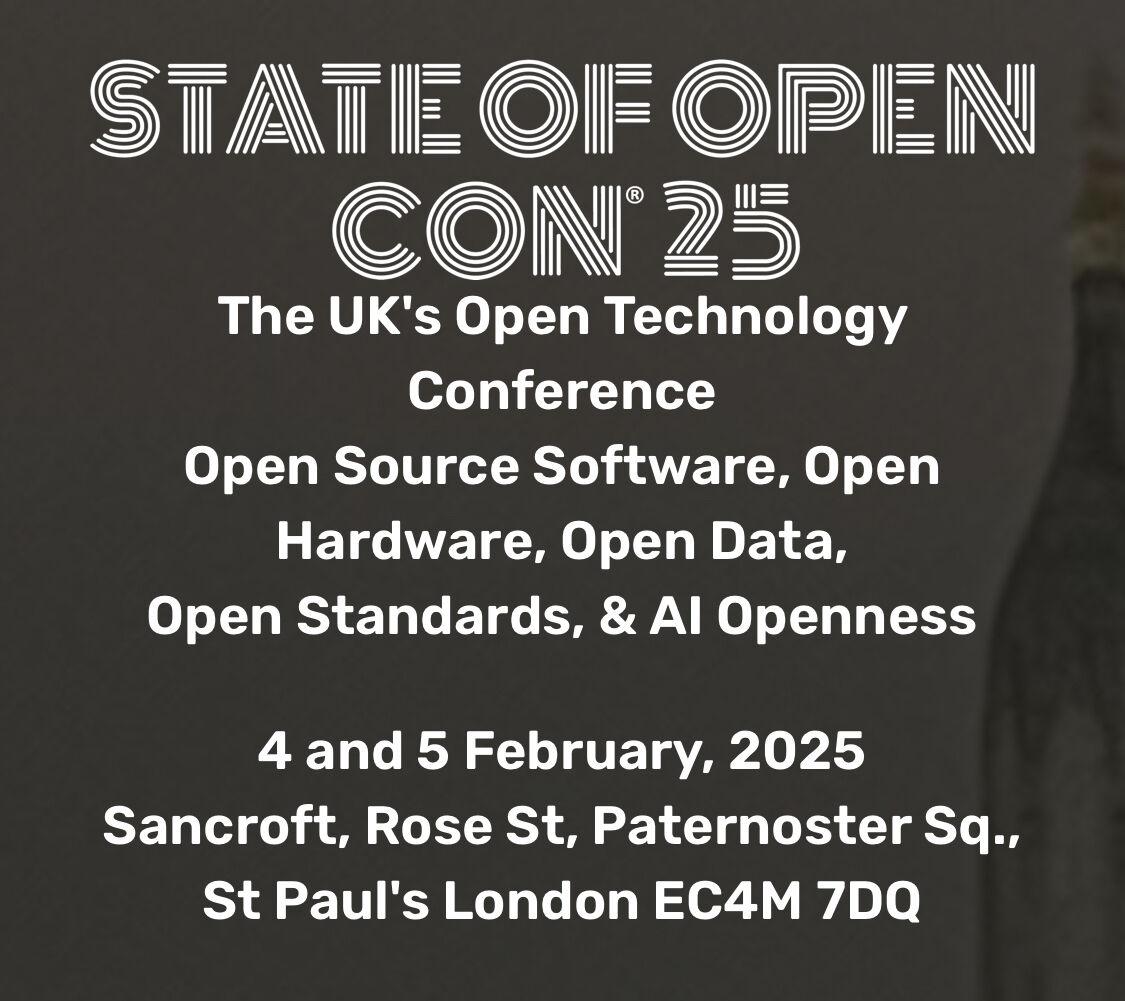
Heading to London for State of Open Con ‘25. Last year was my first. I enjoyed it so much, I’m part of the volunteer crew again. Looking forward to seeing friends, old and new.
#opendata #opensource #stateofopencon #soocon25 #openuk

Discover The Fediverse: Love Your Neighbour
A thought provoking message on our similarities, power of our words and community along with sharing open source highlights found in the Fediverse.
https://www.adamsdesk.com/posts/discover-fediverse-love-your-neighbour/
- TileOS @tile_os
Linux with tiling Wayland compositors.
- GNU Taler @Taler
Privacy-friendly payment system.
- tldr-pages @tldr_pages
Console cheat sheets.
- Tangent Notes @tangentnotes
A note writing app.
#blog #FollowFriday #fediverse #FreeSoftware #OpenSource #foss


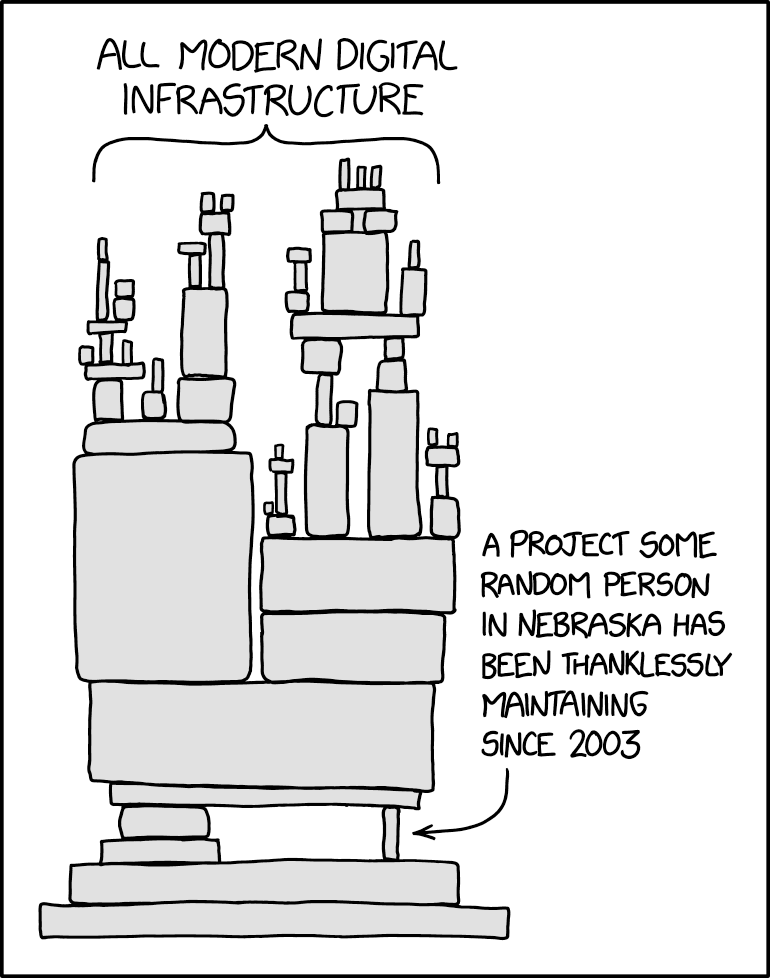
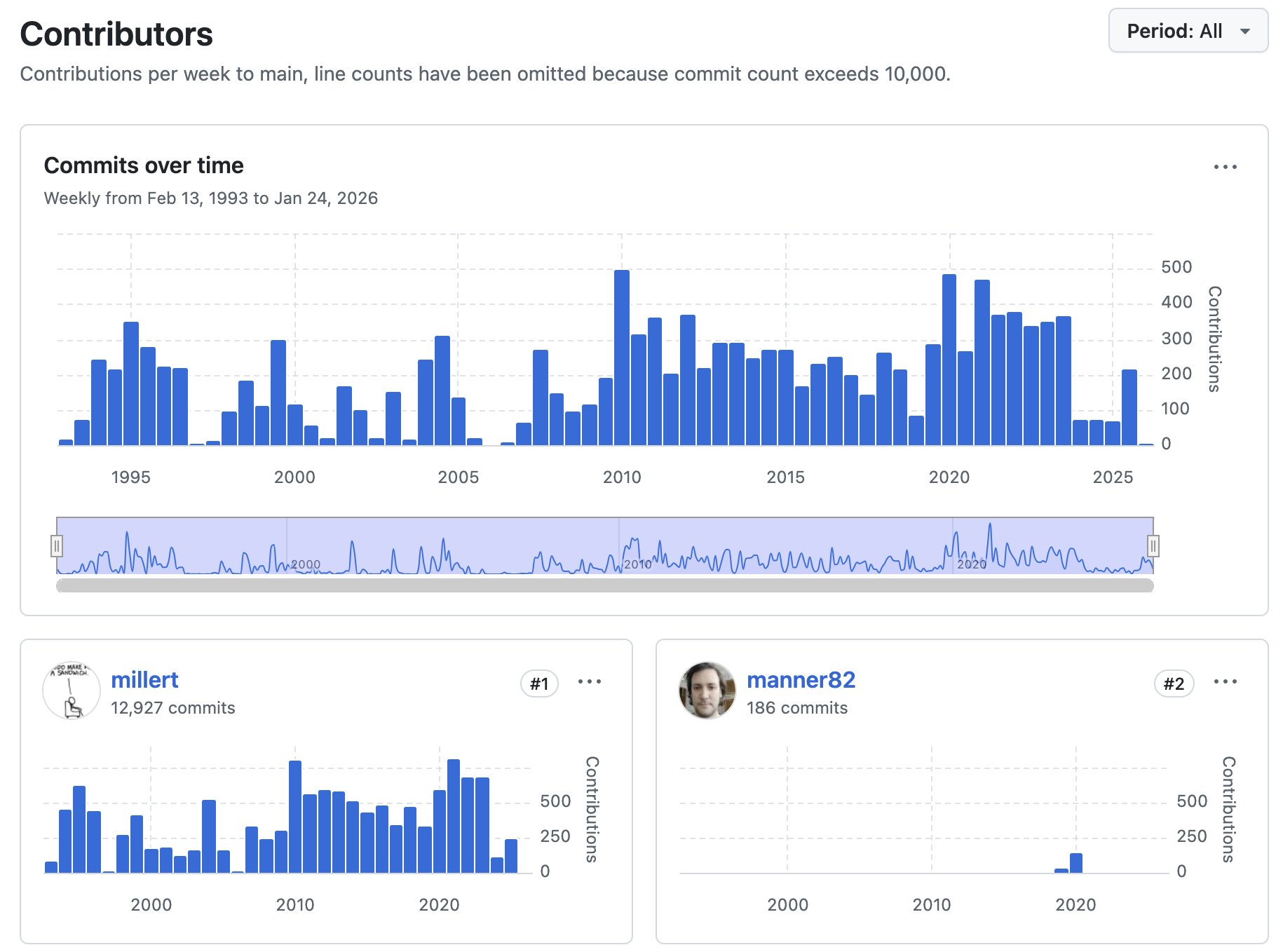
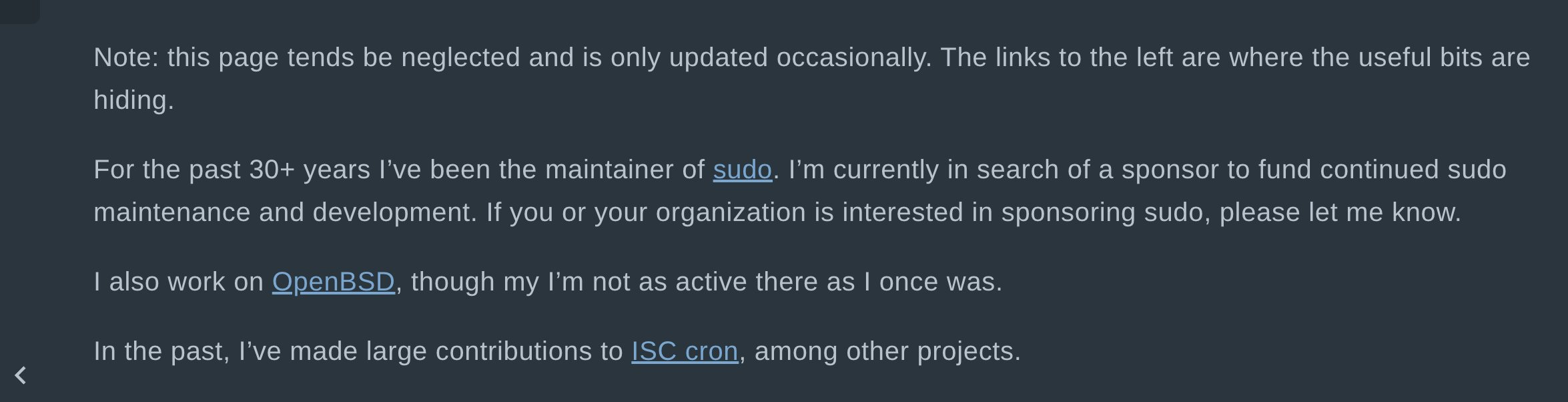
Todd C. Miller has been maintaining the #sudo codebase for over 30 years. This is exactly one of those cases where an entire critical infrastructure is held together by the work of a single volunteer who apparently can’t find anyone willing to sponsor him for some financial support. #opensource #linux #foss #GNU


The UK's love affair with Big Tech is toxic.
A small number of companies have captured the market for the UK’s critical infrastructure from the NHS to defence.
From this position, they’ve influenced policies that entrench the UK’s dependency.
It's time to course correct with Digital Sovereignty.
Read more ⬇️
https://www.theregister.com/2026/04/15/uk_big_tech_dependence/
#DigitalSovereignty #bigtech #tech #opensource #ukpolitics #ukpol

(1/4)
🚀 Hello everyone!
We are working on something pretty exciting. We want to bring Pixelix to Apple devices! Exactly the same app with same functionality, same design and running natively on iOS (Made possible by Kotlin Multiplatform for those who know).
But for that we need to buy at least one MacBook. 💻 (2/4) ->
#Pixelix #Pixelfed #OpenSource #Fediverse #Donations #Fdroid #PlayStore #Buymeacoffee #Liberapay #Apple #iOS

Full of Keyboard Commands, So Many of Them, and It Breaks My heart
In the screen-reading space, we have come a long way in information representation. We know earcons; we are good at implementing various voice profiles and sound profiles for events and attributes. But it's worrying me a bit that we may be going backwards, and I don't just mean navigational systems, I mean how features reach us in general. Complexity is not the problem. The missing alternatives for people who type with one hand, forget easily, or just get tired, that's what's eating at me.
And before this gets written off as a niche concern: we forget commands, we have impaired fingers, we have tremors, we get tired reaching for function keys. It's frustrating to remember while sighted folks can just visualise and click. This isn't a small thing, and the worst part is that we are doing it to ourselves. Where We Came From
The evergreen works from folks who developed blind games were amazing, mostly one-handed friendly, no multiple modifiers, everything achievable with arrows and Tab, and occasionally some alphabets. Remember Chillingham, Grisly Grudge, Hunter, Blast Bay Games, Cast Away, etc.?
Now sure, those were simpler tools for simpler tasks, and today's stuff does a lot more, I get that. But more capability doesn't have to mean more memorisation. Our own history already shows this.
Even Doug Lee's scripts have such implementations, where many alternative commands are given for a single functionality: the default with Alt or JAWS Key modifier, the layer command, and inside the layer command, you can use Tab and Enter to activate the similar command. In Skype or Discord, you can read all chat messages just by activating the layer and using the Up, Down, Home, and End keys. The best help system in those scripts is that you just use Tab and Shift+Tab to cycle through commands, and that way you don't have to remember hundreds of commands. We can then press Enter on a command to execute it. It's not just about exploring the command; the execution itself is assigned with one hand in mind.
So here is my question for everything: can a new user find and do any function, one-handed, without memorising anything first? That's the bar. If the answer is no, someone has some rethinking to do. JAWS: The Good and the Honest Gaps
JAWS hotkey help is another sleek invention. The Insert+H help system badly needs an emulation here in the accessibility space, a webpage linear structure where all the commands are just links to be clicked on.
The JAWS command search, despite its zen-mode loading time, is another great design decision that has changed people's lives. You just press Insert+Space and J, then type what you want to do in keywords, read the commands, and even press Enter to perform them. The Insert+F1 "context-sensitive help," the tutor messages, and keyboard voice always save people time by being brief and neatly helpful. Context-sensitive help is the most lacking concept in the NVDA screen reader.
The JAWS and Touch Cursor is a complex interface traversed with just arrows. The Home Row mode utility allows developers to explore Windows and its hierarchy with arrows and occasional alphabets. With all its complexity, the Settings Centre just requires you to search, press Space, then press Escape, and Space again to save. One-hand commands, to and fro.
JAWS also comes with an "Insert Key Mode", a sticky key concept. The Insert key functions as a sticky key: any key pressed immediately after pressing Insert is treated as if it were pressed in combination with it. The recent Table Layer commands have simplified table navigation a lot, and you just use the arrow keys to traverse tables. Doug Lee extended this implementation to list views through his ListTbl, a JAWS script for navigating ListView controls with table navigation commands.
Obviously, there is bad design in JAWS too. To know the time and date, you need to press Insert+F12. Wow, that's too remote. I changed mine to Ctrl+Shift+X. Adding to that, you need to go to farther places to modify your keyboard commands, which is just a pain for new users who struggle with their hands and fingers. NVDA is even further behind and has a lot more to figure out with its Input Gestures system. With JAWS, you can at least find a function by its assigned hotkey and change it; I don't think you can do that just yet with NVDA.
When using the HotSpotClicker scripts by Jim Snowbarger, I am amazed with the implementation of adding a hotkey to a hotspot set, in which a generous timer with a keyboard trap is initiated, and you press the key you want the hotspot to record. This concept should be further expanded into a proper standard: an easy mode to search or press the command you want to change, then press the new command, then verify and save. One hand, from start to finish. That shouldn't be too hard to build, honestly.
Going back to my keyboard gripe, don't let me get started with the gazillions of Braille display commands in JAWS. That's beyond my expertise, but I have heard plenty of stories, and it's not beginner-friendly, to put it simply. These things are full of life. From these creations, we can both learn a tonne and disregard problematic practices. Do JAWS or NVDA have a one-handed keyboard layout mode? If not, well, someone has something to build. Mainstream Lessons: Reaper DAW
In the mainstream space, the Reaper Audio DAW is an exemplary software that many others should look at. Yes, it has many commands, and it's further complicated by the ReaPack and OSARA implementations. @jcsteh and @Scott would be a testament to that. Reaper has a design process where every possible function can be learned or performed in multiple ways: by searching, by adding your own commands, or by using the keyboard tutorial mode to learn them first. The complexity is real, but so is the way out of it, and that's the whole point. I am not a full-fledged Reaper user, so excuse me for my oversimplifications. Scripts That Got It Right
There are other JAWS scripts from which we can learn a tonne of inclusive human design concepts. What they all have in common is what I was just talking about, you can find anything without knowing it first.
Take the JFW Technical Scripts by Jamie Teh, no keyboard commands to memorise. It's just Ctrl+Shift+J, that's all. All other functions are browsable in a virtual viewer within subpages and sections separated by headings.
Same for the Jawter script, created by @cachondo, which later inspired many other blind programs like Qwitter and TWBlue by @josh. The design is two modifiers with one hand; the other hand presses one key at most, mostly arrows, or any alphabet. In Qwitter and other programs, there is even a key describer mode to familiarise yourself with the commands, and a sticky mode to keep the Alt+Win key active while you use alphabets and arrows to navigate Twitter.
Jamal Mazrui is very much an icon in implementing keyboard-first tools. In every one of his tools, you have Alt+F10 or Alt+Shift+F10 to navigate the menus, and admittedly, those may require two hands. Inside these menus, every item is given a keyboard command, and you can use first-letter navigation to reach them.
There are surely equally complicated things in there that we may choose to refine. Work done by @matt with earlier Serotek and now @pneumasolutions is many, many times commendable. Remember how you used to navigate the SAMNetwork or DocuScan Plus? Even with the RIM software, navigation is just by Tab and Shift+Tab, or headings and links, simple as that. If you want, you can remember keyboard commands that have only a modifier with an alphabet, or Alt with an alphabet.
The System Access screenReader also comes with many great additions like that. The menu structure is webpage-like, and to go to each menu you just press one key, if I am not mistaken. It's fast, mindless.
I have not used GWMicro's Window-Eyes screen reader so deeply, but I am certain that the script and app developers there have created many more patterns that we can document, emulate, and equally follow. I am also sure that Vim, Emacs, and other open-source Linux implementations that are keyboard-driven have more ideas waiting to be implemented. Aliases? Batch commands? Macros? The Complexity Creep Problem
Nowadays, yes, we have more accessible tools, but also more keyboard commands to remember, without proper recourse or remedy for one-handed people or those with less cognitive reserve. Look at Google Suite, Office ribbons, so many layers of taxing keys with blatant disregard for design and simplicity, and loads of gymnastics we have to perform. Yes, for Google Suite there is Alt+Slash, and for Office there is Alt+Q, but imagine how much it can be simplified by adding alternatives that allow for more visualisation and less remembering.
This phenomena of mindless keyboard commands is creeping into JAWS scripts and NVDA add-ons as well. I am going to point some fingers at great people I have very much respect for. They have great product ideas and design that are benefiting lots of Blind people, and I am going to traverse their work and point out the good and the bits they can think about more. I am not here to tear down anyone's work or generosity, I just think there is a next step here.
@hartgenconsult is a champion in keyboard tool-making, from JTools all the way to Leasy. Something we should learn here is that the JTools/Leasy Help key (H) is a central place where all keyboard commands with categories are shown and can be activated by pressing Enter, a huge design gesture with simplicity in mind. And it's also context-sensitive, if I have this right. That's what I keep talking about, right there.
Despite the beautiful implementation, there are things that can be further studied. I am sure I am strawmanning his hard work here, but what I find is it's often hard to remember layers upon layers of keyboard commands. Let's take the Leasy clip operations, which may have been inspired by the HJClip days, made by an English developer whose name escapes me, and later further tweaked by Getinra. Both in HJClip and Leasy, it's simply too many commands, at least for me, to perform the myriad, complex keyboard operations.
In JTools, all clips are located on the function keys, honestly that's too much. In Leasy, it has certainly improved; I believe it's all on the number keys now.
My concrete suggestion here is to look at clipboard buffers, which are even older than HJClip, originating from the Vim system. @pixelate may enlighten me on whether Linux has this system, but Doug Lee created a similar buffer system in his BX key, and his approach is the model worth following. You can think of it as many clipboards. You trigger the command, say left bracket, and assign a text to an alphabet (say, S), then to paste it, you double-press S. You just add one modifier to that S to copy to clipboard, append, or clear that buffer. One hand, one simple mental model, and you have as many clipboards as you need.
Below, I am reproducing his clipboard buffer method from the BX documentation:
Text Management -- Commands for cutting, copying, pasting, and combining text blocks, and for holding blocks of text in up to 26 buffers named by single letters. This system was inspired by the buffer system in the "Vi" text editor found under Linux and other similar operating systems. The NVDA Add-On Renaissance
In the NVDA add-on ecosystem, it's a renaissance time. Add-ons are flourishing, and at the same time, people have to remember more. These two things don't have to come together, and some add-ons are already showing that.
One of them is the Instant Access add-on by Kamal Yasir. Thanks to @doubletap for introducing it to the world. The concept is simple: you pick a file, web shortcut, or folder, assign it to an alphabet, and launch it with a layer. It's fast, one-handed, and it works. The concept may be inspired by @brian_hartgen's JTools and Leasy, further refined into a buffer concept. I think new add-ons should be looking here for inspiration.
The Markdown Navigator add-on simply invents a layer to make Markdown documents browsable, making everything familiar by triggering the browse mode concept we are all so used to. You already know how to use it, and that's the whole point.
Other developers, still early in their work, are also trying their best to simplify their add-on designs. @Tamasg's TGSpeechbox is a revolution in the Blind TTS community. What could be improved further, and I really want this add-on to do well, is to make the huge settings panel with help context optionally enabled. Say, if someone checks a box to enable help, every arrow to a setting under the settings panel would briefly speak what it is. The huge settings panel would be further accessible if an item-chooser or Reaper Command Center-like approach were implemented, so people can type a phrase or a few letters to narrow the options. That one thing would make a tonne of difference, I think.
@ppatel's Terminal Access is another long-awaited terminal accessibility enhancement for NVDA. He does not stop there. Knowing that blind people deal with subpar experiences in many terminals, he painstakingly created profiles for many popular ones. Kudos to his many contributions, and to @tspivey for being a great backend inspiration for his work. The add-on quickly grew in complexity, and a menu-like or tab-like structure is much needed to navigate the huge layer commands, so people can zip through various functions using arrows, Tab, and so on. The foundation is solid, what's still missing is the discoverability layer. Closing Thoughts
I want to end here by saying that we often hold the strong impression that keyboard-only interfaces are flawless, and that our hands will not defeat us. But it's sad that often, when a piece of Blind tooling gets more complex, developers simply pile on more and more commands without paying enough attention to engineer them to be compatible with Blind people of many kinds.
I am not asking for less powerful tools. I want tools where you can find any function by browsing or searching, where one key gets you in and arrows get you around, and where memorisation is a choice rather than a requirement. We have done this before. Doug Lee did it. Jawter did it. Reaper does it. The knowledge is already in our community.
Generally, our difficulties compound as we get older. We forget commands, we have impaired fingers, we have tremors, we do feel tired reaching for the function keys. These are not rare cases, this is where most of us end up. Most importantly, it's frustrating to remember while sighted folks can just visualise and click. In those days, Blind software was designed with visualisation and muscle memory baked in. Now, we are losing our grip on that inherent creativity, more and more complexity, without reverence for the simplicity we know and love.
I think we can do better than this for each other.
#accessibility #jaws #screenReader #Blind #linux #opensource #reaper #daw #NVDA #keyboard #disability #web #design #ui #a11y #scripts
Edited 186d ago

Good morning! We are streaming a selected list of rooms from FOSDEM to the Fediverse again! Here are the playlists:
➡️ https://makertube.net/w/p/tH91FM3JdSe7b3cnqsfhmW
➡️ https://vhsky.cz/w/p/ixCUdbv6dmPVgeWLcKxLLG
The streams start at 9 am CET.

Eurooffice: Diebstahl oder Robin-Hood-Aktion? - Golem.de
#nextcloud #onlyofficr #eurooffice #opensource #linux #cloud
(€)
https://www.golem.de/news/eurooffice-diebstahl-oder-robin-hood-aktion-2604-207495.html
Edited 144d ago

Very good talk at #fosdem by @jejb
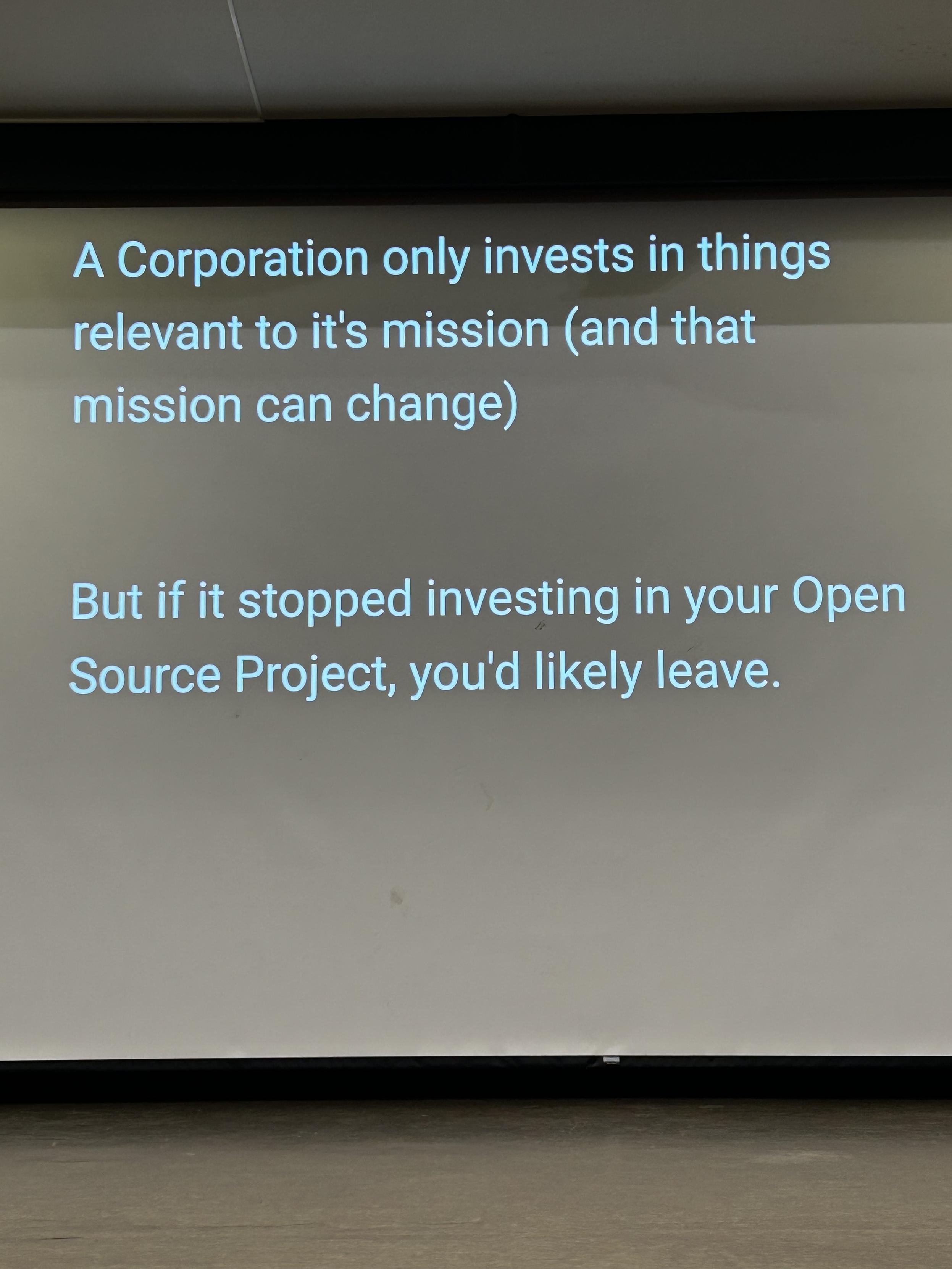
We (open-source developers) are now in a position to decide. If you work in an organization that decides to change direction, this matters to you and your open source project.
This is why CLAs are often used as a coercive tool, not only against contributors, but also against employees of those organizations.
This International Women's Day, we're celebrating a historic milestone in Django’s journey!🚀
For the first time ever, Django has women in every leadership position within the project.

"Your #privacy is our priority. With that message has #WhatsApp last week sent all its users a message" (translated from Dutch from an article in De Telegraaf, a large newspaper in the Netherlands)
There is too much gossip about WhatsApp according topman Will Cathcart.
"#Signal is very cool: the number of new subscriptions in the Netherlands is this year 25 times as high as before"
WhatsApp is closed source. Do you trust #Meta? Signal is #opensource.

Let me take you #linux people on a little journey. Right now, there is a war. A war between those who fear the future of #nix and #NixOS and those who are apparently not getting the point.
To call something #opensource can mean so much nowadays. When it comes to the idea of an enterprise nixpkgs vs the open source or "community" #nixpkgs, I think it's time to make it clear:
#DeterminateSystems wants to have it's own #RHEL. Functions are decoupled from nix for a reason.

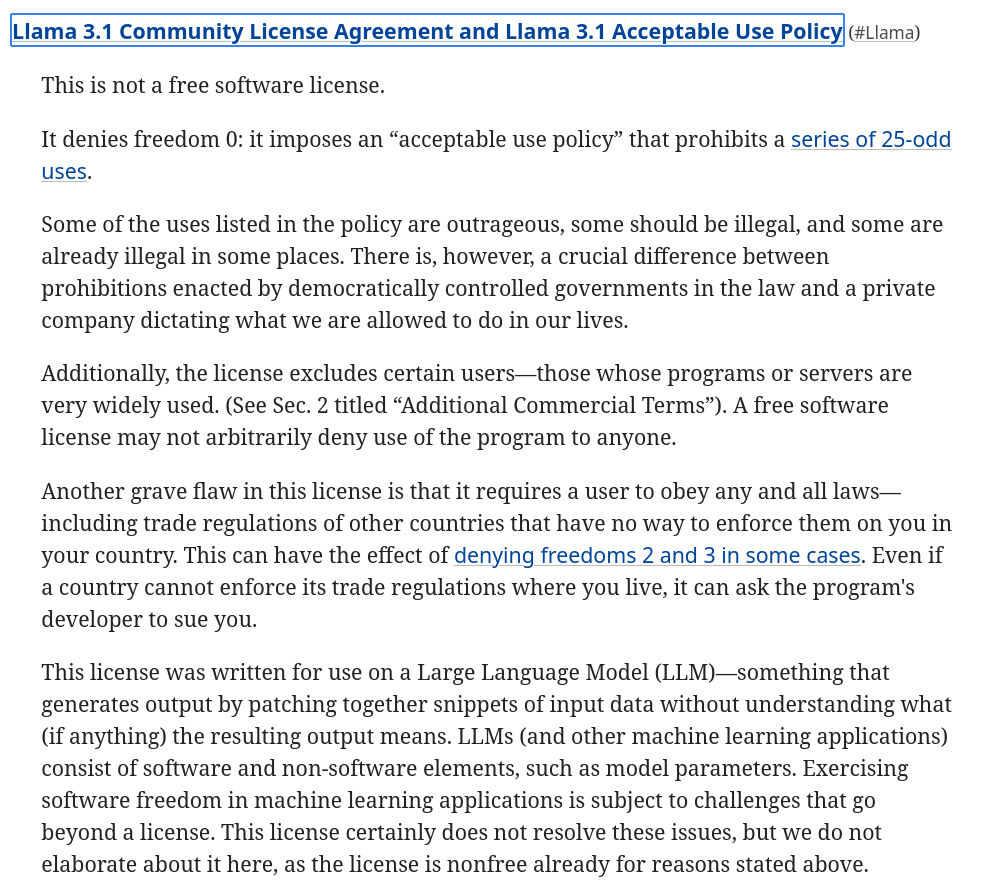
Our sister organisation the @fsf has published its evaluation of the #Llama 3.1 Community
License Agreement.
This is not a #FreeSoftware (#OpenSource) license.
Read more why it does not qualify https://www.fsf.org/blogs/licensing/llama-3-1-community-license-is-not-a-free-software-license

Blogbeitrag: Die vergangenen Wochen waren sehr aufwühlend. Hass, Missgunst und Meinungsverschiedenheiten kochen hoch und schäumen über. Darum möchte ich mit diesem Artikel daran erinnern, dass wir alle selber aktiv werden können. Es fängt bei uns an. Wir stehen in Europa an einem Scheideweg und wir haben die Chance uns dafür zu entscheiden, welche Welt wir kommenden Generationen übergeben möchten.
#Digitalisierung #EU #OpenSource #Fediverse #Europa #UnplugTrump
https://thomas-hitz.ch/bigtech-vs-europa-gefaengnis-oder-freiheit/

TODAY on FIRESIDE FEDI!
The #livestream will be on: stream.firesidefedi.live
Special Guest: @lxo
Main interests: Free Software, Neurodivergence, Veganism, Marxism, Politics, Social Justice, Environment, Vocal/Choir Music; Affiliations: GNU, FSF, FSFLA, 0G, Linux-libre, GCC, glibc, Libre-SOC, AdaCore; Languages: Portugueas; English; Espaol; learning Esperanto, French, Ukrainian, Japanese;formerly @lxo@gnusocial.jp @lxo@gnusocial.net @lxoliva@diasporabr.com.br @lxoliva@identi.ca
So don't miss it!
It will happen on 28 January 2026 at 15:00 US Eastern Time ( UTC-5 )
If by any ungodly chance you miss the show:
#PeerTube ( #VOD ): tubefree/@firesidefedi
#firesidefedi #fediverse #fedi #interview #freesoftware #opensource #userfreedom #freedom #resistance
