Not the #Linux You Remember: 16 Every Day Tasks That No Longer Need the Terminal
linux
Good morning, #hatclan! Happy Monday!
My streams for this week:
- Monday: „Cozy Caravan“ (DE/EN)
- Tuesday: no stream
- Wednesday: no stream
- Thursday: „The Sundew” & „The Lost Crown“ (DE)
- Friday: „Chained Echoes“ (DE/EN)
- Saturday: „The Excavation of Hob's Barrow“ (DE/EN)
- Sunday: „Civilization VII“ (DE/EN)
The streams start at 20 CET / 19 UTC, and usually finish 5 hours later. I'd be happy to see you around.
https://live.hatnix.net #Owncast #Linux #Gaming #DRMfree #Livestream
in one of my intro courses at my uni, I have a day when I walk students through the process of using the command line to 'talk' directly to their computers. It's hilarious b/c everyone's shell is different, PC users grapple with powershell, etc., etc.
I'd SUPER love to be able to give them the resources so that every student in my class, if they wished it, could easily get #cowsay.
^^#halp?
1/2
#windows10 is ending. A good opportunity to switch to #linux. Find here an event near you.
https://endof10.org/events/
Registration is now open for #openSUSE Conference 2026, happening June 25–27 in Nuremberg. Whether you're passionate about #cloud, #containers, #community, or sustainability, submit your talk or workshop by April 30. #Linux #opensource https://news.opensuse.org/2026/01/19/submit-an-osc-presentation/
What is #Personal and 👪 #Family Security 👔 🛡️
🔭 Back in 1999 when #encrypted_email 🤐 was invented 🔏 we realized we did not need a phone 📲 for #phone_calls anymore.
The Only reason why we used a DUMBPHONE was to access #2FA and #MFA security authenticator 6 digit codes for a third layer of protection and secured #login access to our many networks and accounts.
Finally we are able to entirely get rid of our #Dumbphones bc they are tracking devices via .Gov #GPS dinosaur 🦖 tech >> a #breach to our Business Security, entities Data and personal #sovereignty
🏆 🏆 🏆 .
✝️ The Good News?
We are now able to finally file our DUMBphones UNDER "G" FOR 🗑️ #GARBAGE >> FLUNG into the #NAZI SHITPILE of tracking devices!! 🥂 🍾
We discovered a #Monero #Hard_Wallet that also provides us with #2FA and/or #MFA codes for a third layer of protection for login access to our networks and all accounts.
Monero #XMR Crypto #Bank_Vault Disclosure: #Ledger Nano™ Gen5
https://shop.ledger.com/pages/ledger-nano-gen5
Now we are totally 🛰️ 📡 unplugged from ALL TRACKING DEVICES
Basically circumventing all satellites 🛰️ 📡 AT THE SAME TIME;)
Ahh.. The sweet smell of 🕊️ Freedom;) 💪
Next is aTRUSTED Internet Operating System (OS) called #Linux.
Windows is not compatible for internet use. never was. its just a glorified resturant menu #DESKTOP_APPLICATION NOTHING MORE.
fitting round pegs into square holes and got away with it for the last 2 decades???
The Internet has been running on linux for the last 3 decades, not windows, which is infact not compatiable to the WWW internet.
They Tried but #failed with .net
#Native langauge to linux >> unix >> perl >> php
KEEP IT ALL 🪶🪶🪶#NATIVE FOR BULLETPROOF #SECURITY!
NEXT?? Best #Linux #Gaming_Laptops?
So now that you understand the above, get rid of your window machines they are also all tracking devices by #Microsoft.
LINUX Hardware Requirements that can keep up with the 🧠 ⚡ ⚡ #speed of a senior reverse software developer = #Linux #Gaming_Laptop
#Processor: A powerful multi-core processor is essential for gaming. Intel Core i9, i7 or AMD Ryzen 7 series processors are popular choices as they can handle the complex calculations required by modern games.
#Graphics_Card: A dedicated graphics card is a must - have. NVIDIA GeForce RTX series and AMD Radeon RX series are well-known for their gaming performance. The NVIDIA GeForce RTX 3060 can handle most AAA titles at 1080p resolution with high settings.
#RAM: At least 16GB of RAM is recommended to ensure smooth multitasking and game performance. More RAM can handle larger game files and background processes without lag.
#Storage: A fast SSD (Solid-State Drive) is crucial for quick game loading times. A 512GB or larger #SSD is a good starting point.
Kind Regards,
DavidV
📛 DISCLAIMER: We Cover the 'Way' the #News is #COVERED_UP! 👿
Please consider a gift of [ $50 USD ] or any XMR EQUIVALENT amount that feels right? #Gifts can be sent online using your
favorite #Monero, #Cake, #Feather Wallets by selecting the MONERO PUBLIC KEY BELOW.
monero:42m12GQEWioFmMgYFdqcPpCvqDNiCCyq5D6QUk5VDmS4CitHM6ZK5XULU44hpEyDZrcMB2KfETTyJfmf4S2Rni5Z5kCZ54s
DavidV: 25 YEARS 24/7 Experience:
* Software Architect (PhD) Supervisor -25 years 300K PMS (project management) hours
* EXPERT BLACK BOX TESTER (1999)
* Founder of WebTafficCops.com the 1ST Dedicated CLICK FRAUD ENGINE on the Planet (1999)
* Founder of SEO (Search Engine Optimization, (1999)
* Founder of RTB (Real Time Bidding (1999)
* Founder of HFT (High Frequency Trading 2001)
* Founder of the first Screen Recorder (Applets) on the Planet (2000)
* Founder of DEVSECOPS (2000)
* Founder and CREATOR OF #BULLETPROOF #cryptocurrency FULL PRIVATE NODES via WWW since 2016 and MERCHANT INTEGRATION.
🍷 🍾 #TASTINGTRAFFIC_LLC | The Largest (WWW) #DIGITAL_TRAFFIC PROVIDER in the WORLD since 1999.
🌐 https://tastingtraffic.net/sitemap.xml
TASTINGTRAFFIC_LLC are NOT affiliates of this provider or referenced images used. This is NOT an endorsement OR Sponsored (Paid) Promotion/Reshare.
What's the most common complaint I've heard about Linux?
Not the installation process.
Not finding a distro.
Not getting programs to work.
Not troubleshooting.
Not hardware compatibility.
The most common complaint about Linux I've seen is this:
For a normal computer user, asking for help is just about impossible.
They ask a simple question and:
People respond "Did you Google it?"
People complain that the question wasn't asked "correctly".
People respond "RTFM"
People get mad??? at them for making an easy mistake.
We can't expect normal people to know to, or even know how to deal with any of that stuff.
Search engines these days are awful, manuals are hard to read for most people (especially stuff like ArchWiki), and normal people make mistakes we think are easily avoidable.
The solution to making Linux more popular is not ruthless promotion. The solution is to actually help the people who are trying to use it.
Der 174. virtuelle #Linux-Treff Nord steht an:
Am Donnerstag, den 22.01. findet der zweite virtuelle Linux-Treff Nord im Jahr 2026 statt. Beginn ist wieder um 19:00 Uhr.
Themen werden u.a. diesmal sein:
- #endof10,
- Stand Werkzeuge
- Jahresplanung
- wer sonst noch was mitbringt.
Wer mit dabei sein und z.B. eine Linuxfrage loswerden möchte, einfach eine Mail an kontakt[at]lug-noris.de senden.
Der nächste reale LTN findet am 05.02.2026 beim Theo statt.
Eine Nachlese zum 174. virtuellen #LTN in 2026 am 22.01.:
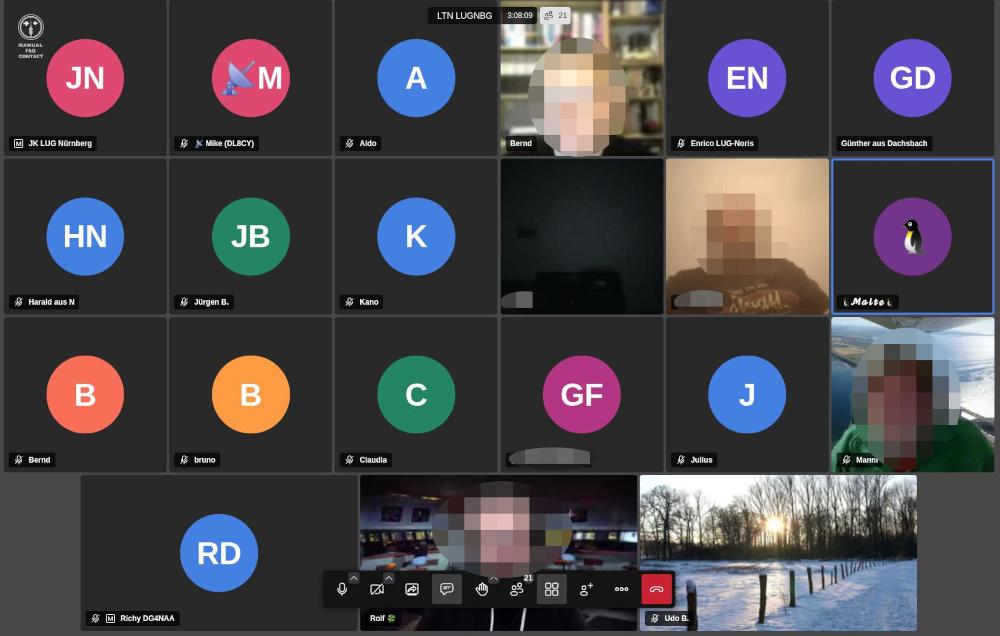
Es haben sich in der Summe 17 Gäste eingefunden. Vielen Dank dafür.
Themen waren diesmal u.a.:
- Planungen 2026
- Pro und Contra Dual-Boot,
- Mint Uprade auf 22.3,
- Hibiskus und neues Bankformat,
- Radicale Server
Das nächste virtuelle Treffen findet am 12.02.2026 ab 19:00 Uhr statt; der nächste reale Treff wieder am 05.02. beim Theo.
Einfach vorbeikommen. Wir freuen uns.
Todd C. Miller has been maintaining the #sudo codebase for over 30 years. This is exactly one of those cases where an entire critical infrastructure is held together by the work of a single volunteer who apparently can’t find anyone willing to sponsor him for some financial support. #opensource #linux #foss #GNU
Full of Keyboard Commands, So Many of Them, and It Breaks My heart
In the screen-reading space, we have come a long way in information representation. We know earcons; we are good at implementing various voice profiles and sound profiles for events and attributes. But it's worrying me a bit that we may be going backwards, and I don't just mean navigational systems, I mean how features reach us in general. Complexity is not the problem. The missing alternatives for people who type with one hand, forget easily, or just get tired, that's what's eating at me.
And before this gets written off as a niche concern: we forget commands, we have impaired fingers, we have tremors, we get tired reaching for function keys. It's frustrating to remember while sighted folks can just visualise and click. This isn't a small thing, and the worst part is that we are doing it to ourselves. Where We Came From
The evergreen works from folks who developed blind games were amazing, mostly one-handed friendly, no multiple modifiers, everything achievable with arrows and Tab, and occasionally some alphabets. Remember Chillingham, Grisly Grudge, Hunter, Blast Bay Games, Cast Away, etc.?
Now sure, those were simpler tools for simpler tasks, and today's stuff does a lot more, I get that. But more capability doesn't have to mean more memorisation. Our own history already shows this.
Even Doug Lee's scripts have such implementations, where many alternative commands are given for a single functionality: the default with Alt or JAWS Key modifier, the layer command, and inside the layer command, you can use Tab and Enter to activate the similar command. In Skype or Discord, you can read all chat messages just by activating the layer and using the Up, Down, Home, and End keys. The best help system in those scripts is that you just use Tab and Shift+Tab to cycle through commands, and that way you don't have to remember hundreds of commands. We can then press Enter on a command to execute it. It's not just about exploring the command; the execution itself is assigned with one hand in mind.
So here is my question for everything: can a new user find and do any function, one-handed, without memorising anything first? That's the bar. If the answer is no, someone has some rethinking to do. JAWS: The Good and the Honest Gaps
JAWS hotkey help is another sleek invention. The Insert+H help system badly needs an emulation here in the accessibility space, a webpage linear structure where all the commands are just links to be clicked on.
The JAWS command search, despite its zen-mode loading time, is another great design decision that has changed people's lives. You just press Insert+Space and J, then type what you want to do in keywords, read the commands, and even press Enter to perform them. The Insert+F1 "context-sensitive help," the tutor messages, and keyboard voice always save people time by being brief and neatly helpful. Context-sensitive help is the most lacking concept in the NVDA screen reader.
The JAWS and Touch Cursor is a complex interface traversed with just arrows. The Home Row mode utility allows developers to explore Windows and its hierarchy with arrows and occasional alphabets. With all its complexity, the Settings Centre just requires you to search, press Space, then press Escape, and Space again to save. One-hand commands, to and fro.
JAWS also comes with an "Insert Key Mode", a sticky key concept. The Insert key functions as a sticky key: any key pressed immediately after pressing Insert is treated as if it were pressed in combination with it. The recent Table Layer commands have simplified table navigation a lot, and you just use the arrow keys to traverse tables. Doug Lee extended this implementation to list views through his ListTbl, a JAWS script for navigating ListView controls with table navigation commands.
Obviously, there is bad design in JAWS too. To know the time and date, you need to press Insert+F12. Wow, that's too remote. I changed mine to Ctrl+Shift+X. Adding to that, you need to go to farther places to modify your keyboard commands, which is just a pain for new users who struggle with their hands and fingers. NVDA is even further behind and has a lot more to figure out with its Input Gestures system. With JAWS, you can at least find a function by its assigned hotkey and change it; I don't think you can do that just yet with NVDA.
When using the HotSpotClicker scripts by Jim Snowbarger, I am amazed with the implementation of adding a hotkey to a hotspot set, in which a generous timer with a keyboard trap is initiated, and you press the key you want the hotspot to record. This concept should be further expanded into a proper standard: an easy mode to search or press the command you want to change, then press the new command, then verify and save. One hand, from start to finish. That shouldn't be too hard to build, honestly.
Going back to my keyboard gripe, don't let me get started with the gazillions of Braille display commands in JAWS. That's beyond my expertise, but I have heard plenty of stories, and it's not beginner-friendly, to put it simply. These things are full of life. From these creations, we can both learn a tonne and disregard problematic practices. Do JAWS or NVDA have a one-handed keyboard layout mode? If not, well, someone has something to build. Mainstream Lessons: Reaper DAW
In the mainstream space, the Reaper Audio DAW is an exemplary software that many others should look at. Yes, it has many commands, and it's further complicated by the ReaPack and OSARA implementations. @jcsteh and @Scott would be a testament to that. Reaper has a design process where every possible function can be learned or performed in multiple ways: by searching, by adding your own commands, or by using the keyboard tutorial mode to learn them first. The complexity is real, but so is the way out of it, and that's the whole point. I am not a full-fledged Reaper user, so excuse me for my oversimplifications. Scripts That Got It Right
There are other JAWS scripts from which we can learn a tonne of inclusive human design concepts. What they all have in common is what I was just talking about, you can find anything without knowing it first.
Take the JFW Technical Scripts by Jamie Teh, no keyboard commands to memorise. It's just Ctrl+Shift+J, that's all. All other functions are browsable in a virtual viewer within subpages and sections separated by headings.
Same for the Jawter script, created by @cachondo, which later inspired many other blind programs like Qwitter and TWBlue by @josh. The design is two modifiers with one hand; the other hand presses one key at most, mostly arrows, or any alphabet. In Qwitter and other programs, there is even a key describer mode to familiarise yourself with the commands, and a sticky mode to keep the Alt+Win key active while you use alphabets and arrows to navigate Twitter.
Jamal Mazrui is very much an icon in implementing keyboard-first tools. In every one of his tools, you have Alt+F10 or Alt+Shift+F10 to navigate the menus, and admittedly, those may require two hands. Inside these menus, every item is given a keyboard command, and you can use first-letter navigation to reach them.
There are surely equally complicated things in there that we may choose to refine. Work done by @matt with earlier Serotek and now @pneumasolutions is many, many times commendable. Remember how you used to navigate the SAMNetwork or DocuScan Plus? Even with the RIM software, navigation is just by Tab and Shift+Tab, or headings and links, simple as that. If you want, you can remember keyboard commands that have only a modifier with an alphabet, or Alt with an alphabet.
The System Access screenReader also comes with many great additions like that. The menu structure is webpage-like, and to go to each menu you just press one key, if I am not mistaken. It's fast, mindless.
I have not used GWMicro's Window-Eyes screen reader so deeply, but I am certain that the script and app developers there have created many more patterns that we can document, emulate, and equally follow. I am also sure that Vim, Emacs, and other open-source Linux implementations that are keyboard-driven have more ideas waiting to be implemented. Aliases? Batch commands? Macros? The Complexity Creep Problem
Nowadays, yes, we have more accessible tools, but also more keyboard commands to remember, without proper recourse or remedy for one-handed people or those with less cognitive reserve. Look at Google Suite, Office ribbons, so many layers of taxing keys with blatant disregard for design and simplicity, and loads of gymnastics we have to perform. Yes, for Google Suite there is Alt+Slash, and for Office there is Alt+Q, but imagine how much it can be simplified by adding alternatives that allow for more visualisation and less remembering.
This phenomena of mindless keyboard commands is creeping into JAWS scripts and NVDA add-ons as well. I am going to point some fingers at great people I have very much respect for. They have great product ideas and design that are benefiting lots of Blind people, and I am going to traverse their work and point out the good and the bits they can think about more. I am not here to tear down anyone's work or generosity, I just think there is a next step here.
@hartgenconsult is a champion in keyboard tool-making, from JTools all the way to Leasy. Something we should learn here is that the JTools/Leasy Help key (H) is a central place where all keyboard commands with categories are shown and can be activated by pressing Enter, a huge design gesture with simplicity in mind. And it's also context-sensitive, if I have this right. That's what I keep talking about, right there.
Despite the beautiful implementation, there are things that can be further studied. I am sure I am strawmanning his hard work here, but what I find is it's often hard to remember layers upon layers of keyboard commands. Let's take the Leasy clip operations, which may have been inspired by the HJClip days, made by an English developer whose name escapes me, and later further tweaked by Getinra. Both in HJClip and Leasy, it's simply too many commands, at least for me, to perform the myriad, complex keyboard operations.
In JTools, all clips are located on the function keys, honestly that's too much. In Leasy, it has certainly improved; I believe it's all on the number keys now.
My concrete suggestion here is to look at clipboard buffers, which are even older than HJClip, originating from the Vim system. @pixelate may enlighten me on whether Linux has this system, but Doug Lee created a similar buffer system in his BX key, and his approach is the model worth following. You can think of it as many clipboards. You trigger the command, say left bracket, and assign a text to an alphabet (say, S), then to paste it, you double-press S. You just add one modifier to that S to copy to clipboard, append, or clear that buffer. One hand, one simple mental model, and you have as many clipboards as you need.
Below, I am reproducing his clipboard buffer method from the BX documentation:
Text Management -- Commands for cutting, copying, pasting, and combining text blocks, and for holding blocks of text in up to 26 buffers named by single letters. This system was inspired by the buffer system in the "Vi" text editor found under Linux and other similar operating systems. The NVDA Add-On Renaissance
In the NVDA add-on ecosystem, it's a renaissance time. Add-ons are flourishing, and at the same time, people have to remember more. These two things don't have to come together, and some add-ons are already showing that.
One of them is the Instant Access add-on by Kamal Yasir. Thanks to @doubletap for introducing it to the world. The concept is simple: you pick a file, web shortcut, or folder, assign it to an alphabet, and launch it with a layer. It's fast, one-handed, and it works. The concept may be inspired by @brian_hartgen's JTools and Leasy, further refined into a buffer concept. I think new add-ons should be looking here for inspiration.
The Markdown Navigator add-on simply invents a layer to make Markdown documents browsable, making everything familiar by triggering the browse mode concept we are all so used to. You already know how to use it, and that's the whole point.
Other developers, still early in their work, are also trying their best to simplify their add-on designs. @Tamasg's TGSpeechbox is a revolution in the Blind TTS community. What could be improved further, and I really want this add-on to do well, is to make the huge settings panel with help context optionally enabled. Say, if someone checks a box to enable help, every arrow to a setting under the settings panel would briefly speak what it is. The huge settings panel would be further accessible if an item-chooser or Reaper Command Center-like approach were implemented, so people can type a phrase or a few letters to narrow the options. That one thing would make a tonne of difference, I think.
@ppatel's Terminal Access is another long-awaited terminal accessibility enhancement for NVDA. He does not stop there. Knowing that blind people deal with subpar experiences in many terminals, he painstakingly created profiles for many popular ones. Kudos to his many contributions, and to @tspivey for being a great backend inspiration for his work. The add-on quickly grew in complexity, and a menu-like or tab-like structure is much needed to navigate the huge layer commands, so people can zip through various functions using arrows, Tab, and so on. The foundation is solid, what's still missing is the discoverability layer. Closing Thoughts
I want to end here by saying that we often hold the strong impression that keyboard-only interfaces are flawless, and that our hands will not defeat us. But it's sad that often, when a piece of Blind tooling gets more complex, developers simply pile on more and more commands without paying enough attention to engineer them to be compatible with Blind people of many kinds.
I am not asking for less powerful tools. I want tools where you can find any function by browsing or searching, where one key gets you in and arrows get you around, and where memorisation is a choice rather than a requirement. We have done this before. Doug Lee did it. Jawter did it. Reaper does it. The knowledge is already in our community.
Generally, our difficulties compound as we get older. We forget commands, we have impaired fingers, we have tremors, we do feel tired reaching for the function keys. These are not rare cases, this is where most of us end up. Most importantly, it's frustrating to remember while sighted folks can just visualise and click. In those days, Blind software was designed with visualisation and muscle memory baked in. Now, we are losing our grip on that inherent creativity, more and more complexity, without reverence for the simplicity we know and love.
I think we can do better than this for each other.
#accessibility #jaws #screenReader #Blind #linux #opensource #reaper #daw #NVDA #keyboard #disability #web #design #ui #a11y #scripts
To all of you that are joining us at @Vivaldi , I would like to welcome you.
We know that many are looking for options away from Big Tech and we are happy many of you are choosing us.
We have been building browsers for a long time now. Many of us were at Opera. I co-founded Opera in 1995.
As Opera drifted in a bad direction, I co-founded Vivaldi to provide a real alternative to Big Tech and I believe we can play a very important role moving forward. Thanks for your support!
#Vivaldi #BigTech #browser #Windows #Macos #Linux #Android #ioS
👋🤓 Tschüss Mastodon!
🚨 Ich ZIEHE heute UM mit diesem Account nach #Sharkey 🦈 zu plasmatrap.com mit 👉 @caos
Dort geht es dann auch u.a. um 🎸 #Musik (#Punk #Rock #Metal #Indie #Darkwave) + #Köln #Wuppertal 🚟 #NRW + #Sport #Tischtennis 🏓 + #Verkehrswende #ÖPNV 🚋
Weiter gibt es caos auf #Friendica mit @caos@anonsys.net :
Schwerpunkte dort sind u.a. #FOSS #Datenschutz #Fediverse #Linux #OpenStreetMap #CustomROM #DeGoogle #FDroid
🙏 vielen Dank an @thomas !! Die metalhead-Instanz ist top 👍 , nur für mich passt Mastodon nicht so richtig gut. Rock on 🤘
Super+Space opens a small menu script that launches apps and system actions (WiFi, reboot, shutdown),
all keyboard-driven via sxhkd.
No panel, no mouse menus, WM-agnostic.
#!/bin/sh
ROOT=doas
# Open a terminal (st) with the given title and command
# example: st -t terminal_title -e command
term() {
st -t "$1" -e "${@:2}"
}
choice=$(printf "%s\n" \
"Browser" \
"Terminal" \
"IRC" \
"Mail" \
"PDF" \
"Editor" \
"Files" \
"Mixer" \
"WiFi" \
"Bluetooth" \
"Reboot" \
"Shutdown" |
dmenu -i -l 12 -p "Menu" \
-fn "Iosevka Term-11" \
-nb '#000000' -nf '#ffffff' \
-sb '#005f87' -sf '#ffffff')
case "$choice" in
Browser) firefox ;;
Terminal) term st tmux ;;
IRC) term senpai senpai ;;
Mail) term mutt mutt ;;
PDF) pdf-open.sh ;;
Editor) geany ;;
Files) term fff fff ;;
Mixer) term alsamixer alsamixer ;;
WiFi) term wifitui "$ROOT" wifitui ;;
Bluetooth) blueman-manager ;;
Reboot) "$ROOT" /sbin/reboot ;;
Shutdown) "$ROOT" /sbin/poweroff ;;
esac
#dwm #dmenu #sxhkd #x11 #linux #suckless
Vollmondtreffen der ALIGN:
Am Dienstag, den 10.03.2026 findet in Nürnberg wieder um 17:00 Uhr das Treffen der #ALIGN im Delphi, Innere Laufer Gasse 22 statt.
#Linux, freie Software und andere Themen stehen auf der Agenda.
Diese Info findet sich auch auf unserer Webseite unter Termine.
Einfach vorbeischauen, auch "Neue" sind gerne gesehen. Wir freuen uns auf eine rege Teilnahme.
Wegen der Tischreservierung bitte vorab eine Info an rqxzbader[at]gmx.de senden.
Vielen Dank.
Der 177. virtuelle #Linux-Treff Nord steht an:
Am Donnerstag, den 12.03. findet der virtuelle Linux-Treff Nord statt. Beginn ist wieder um 19:00 Uhr.
Themen werden u.a. diesmal sein:
- Linux Distris und Flatpak/Snap,
- embedded world,
- #CLT 2026,
- wer sonst noch was mitbringt.
Wer mit dabei sein und z.B. eine Linuxfrage loswerden möchte, einfach eine Mail an kontakt[at]lug-noris.de senden.
Der nächste reale LTN findet am 19.03.2026 beim Theo im großen Raum statt.
RE: https://mastodon.social/@amutable/115967747219090945
Today, we announce Amutable, our ✨ new ✨ company. We – @blixtra, @brauner, @davidstrauss, @rodrigo_rata, @michaelvogt, @pothos, @zbyszek, @daandemeyer, @cyphar, @jrocha and yours truly – are building the 🚀 next generation of Linux systems, with integrity, determinism, and verification – every step of the way.
→ https://amutable.com/blog/introducing-amutable ←
#amutable #linux #systemd #⊼mutable #integrity