
Introducing the Accessible Components Library via @robalex https://lobste.rs/s/ssp7ug #a11y #web
https://tetralogical.com/blog/2026/10/14/accessible-components-library/
a11y
What Would A Serious AI Product Look Like? https://lobste.rs/s/q2rymh #a11y #design #vibecoding
https://blog.glyph.im/2026/09/serious-ai-product.html
Stop Hardcoding Your Timeouts via @arne https://lobste.rs/s/qa0owz #a11y #practices
https://alfy.blog/2026/04/23/stop-hardcoding-your-timeouts.html
Tangled, hire a front-end accessibility expert https://lobste.rs/s/ymqjuj #a11y #vcs
https://dbushell.com/2026/11/01/tangled-accessibility/
Wrote to Ko-fi about many accessibility improvements they could make, like labeling buttons and edit fields so one can have an easier time donating to folks, and they replied with, Thank you! We are a very small team and don't have a lot of development resources but we care very deeply about the accessibility of our services. We have taken your feedback into consideration and it's on the roadmap. I've heard that kind of reply so many times I think it's a template at this point but if anyone else wants to, ahem, also say how important accessibility is, https://ko-fi.com/ #Accessibility #A11y
Edited 114d ago
Multiple links below.
I'm tired, and I don’t want to do free accessibility consulting for this website owner, so I'll outline only one way this won’t work for screen reader users out of many.
Aside from the fact an LLM made the website, and the font as well, the reason it doesn’t work for screen reader users because, even on that demo page, a timer has to be activated. A button must be pushed. A timer activates, and a screen reader user must find the fixed bit of text again. The website makes it sound as if it should be just automatically accessible/visible to the screen reader, and that fails.
Aside from the screen reader issues, that's not the only one, but I don’t want to do free accessibility consulting for this website, some of the other issues include but are not limited to…
It doesn’t prevent scraping.
It doesn’t prevent taking a snapshot and then doing OCR on that screenshot.
It breaks custom fonts anybody has disabled or enabled.
It breaks copy and paste.
It breaks for people without JavaScript enabled.
It breaks for anybody using a good ad blocker.
It prevents search from working on the website.
And many, many, more things that are in my replies.
If you want to learn about me and my screen reader, my FAQ page is below the website I'm talking about.
If you use this font to protect your text from AI, it also blocks *me, a human* because I use a screen reader. I did try the demo. If you want me to remove your RSS feed, this is the best font to prevent blind people from reading your blog/words. That timer is an inaccessible solution and that isn't it's only screen reader failure. https://shieldfont.org/#hero
My FAQ page https://sightlessscribbles.com/faq/
Edited 98d ago
Has anyone else noticed that as of the latest update, the Youtube app on iOS is seriously broken in terms of #Voiceover accessibility? You can't efficiently flick through the feed anymore. Each video has like 6 or 7 stops. Explore by touch is also broken. i've already reached out to Google Accessibility, and I recommend anyone else who is concerned do the same. #a11y #youtube #accessibility
Your terminal manipulation/navigation setups https://lobste.rs/s/r3gton #ask #a11y #editors

Accessible Android Emulator 0.5.0 is out.
New speech bridge: the device's screen reader output goes to the host's text-to-speech. VoiceOver's voice and rate on the Mac, NVDA or SAPI on Windows, or the phone's text-to-speech in AAE Remote.
Also new: microphone input, Display and Language, network and battery conditions, fingerprint, GPX routes, screen recording, hardware settings, and device export and import.
https://github.com/aaron-gh/accessible-android-emulator/releases/tag/v0.5.0
Catching prompt injections hidden in PDFs by @tclancy https://lobste.rs/s/hreu0b #pdf #a11y #ai #security
https://tomclancy.info/joshua-judges-ruth.html
Windows testers wanted: an early alpha of AAE, the Accessible Android Emulator, is ready to try on Windows.
AAE lets blind people create, run and test Android virtual devices without sighted help. Every device has a screen reader from its first boot, takes your keyboard, and plays its audio through your computer.
This is a very early build. It hasn't been run by anyone but me yet, things will break, and parts of the Mac app are still missing.
What's there:
- Setting up Google's emulator and tools for you, no Android Studio needed
- Creating, starting, stopping, copying and wiping devices, with Backtalk or your own screen reader
- Device mode: your whole keyboard goes to Android, Alt Tab and the Windows key included, while NVDA and JAWS keep their own keys. Control Windows Escape brings it back
- Gesture mode: screen reader gestures from the keyboard
- Installing apps, the clipboard both ways, screenshots, the device's volume
- AAE's messages spoken through NVDA, JAWS or Narrator
- Updates itself, so you'll be offered the next stable release
Not there yet: the accessibility inspector, speech log, device log, shell, apps and accessibility services windows, snapshots, battery and location. The aae command line, installed alongside the app, does all of these meanwhile. Open a command prompt in AAE's folder and run aae help.
You need Windows 10 or 11 on an Intel or AMD processor (not ARM), with Windows Hypervisor Platform turned on in Windows features. AAE isn't signed yet, so SmartScreen may warn you: choose More info, then Run anyway.
Download the installer:
https://github.com/aaron-gh/accessible-android-emulator/releases/download/dev/AAE-dev-windows-x64-setup.exe
Release notes and the Mac build:
https://github.com/aaron-gh/accessible-android-emulator/releases/tag/dev
If something goes wrong, Help, Save Diagnostic Report makes a text file you can read before sending. Tell me which screen reader you use, and whether AAE's messages were spoken. Replies here or GitHub issues are both fine.
#Android #Accessibility #A11y #ScreenReader #NVDA #JAWS #Blind #Windows
Hello, my name is Orca via @goldstein https://lobste.rs/s/ffn6sm #a11y #linux #security
https://linnemanlabs.com/posts/hello-my-name-is-orca/

J'avais envie d'écrire sur l'accessibilité numérique depuis un moment, donc je démarre une série.
J'espère que ça aidera les personnes qui veulent en apprendre davantage, et plus tard dans la série les personnes qui souhaitent s'y lancer.
Preneur de retours bien sûr. Je publie peu, je lis beaucoup, j'aimerais m'améliorer :)
https://ls-a.fr/bon-a-savoir/presentation-de-laccessibilite-numerique/
Merci @stephaniewalter et @aardrian (notamment) qui m'ont motivé à débuter cette série.
There are many themes, but this one is yours https://lobste.rs/s/3zcaxw #a11y #design #vibecoding
https://earendil.com/posts/system-theme/

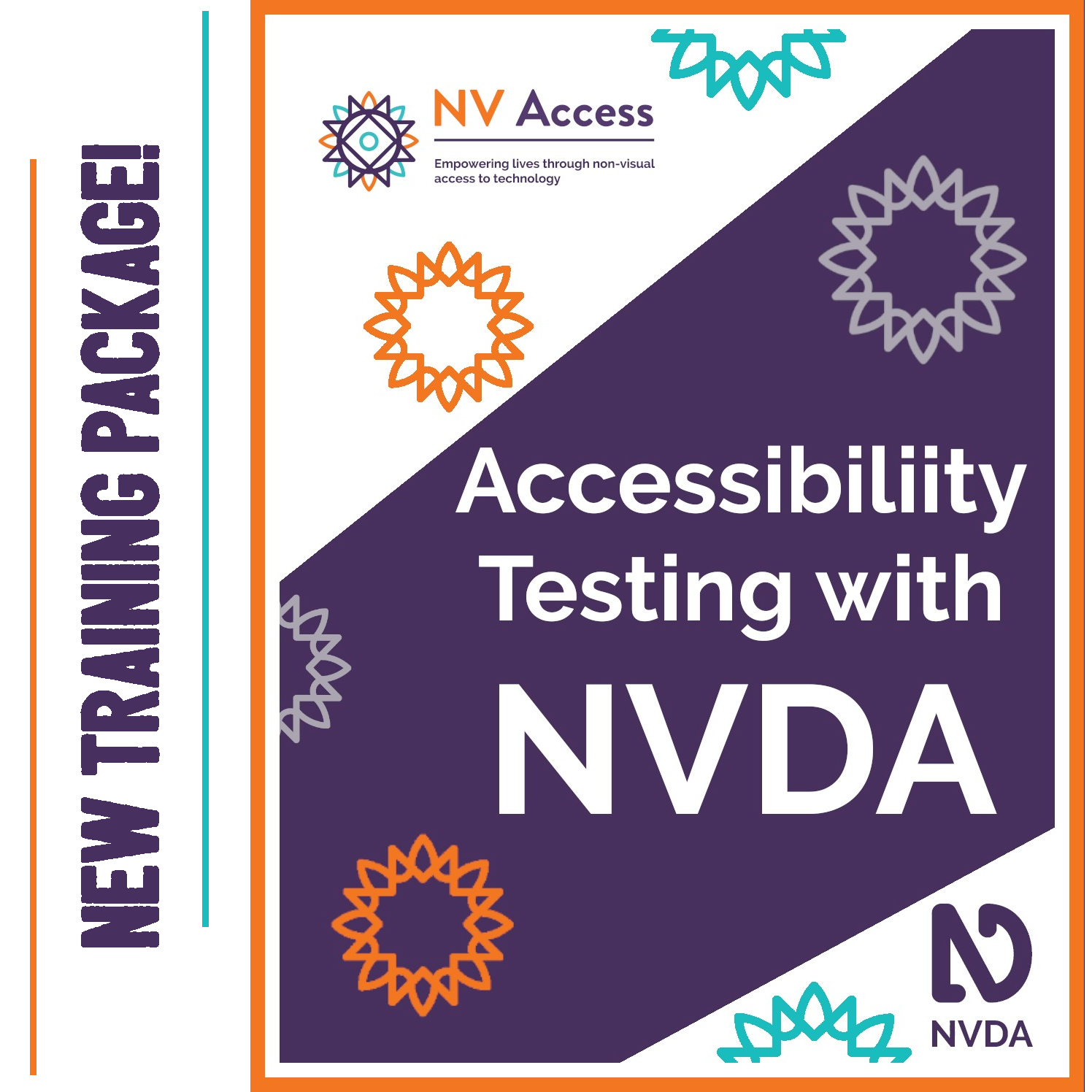
NV Access is very excited to launch: "Accessibility Testing with NVDA"
This new package includes:
- 'Accessibility Testing with NVDA' training module,
- Printable reference sheets
- Resources for further reading
- A WCAG reference guide
- A badge you can display on your website or in your email.
A comprehensive resource for all involved in accessibility testing. Available now: https://www.nvaccess.org/product/accessibility-testing-with-nvda/
#NVDA #NVDAsr #Accessibility #testing #A11y #New #News #Training #ProfessionalDevelopment
Matt Mullenweg Orders Accessibility Revert https://lobste.rs/s/2mlkhe #a11y #culture
https://www.therepository.email/matt-mullenweg-orders-accessibility-revert-tells-core-committer-to-contribute-your-talents-to-another-project
Writing to political folks in local political seats this morning because I drafted my desires for a new accessibility act that would make sure these CMS's output accessible content and audit for accessible themes. So tired of these fucking accessibility overlays and this would kill them all. If anyone takes me seriously anyway. It's not the best policy brief I have ever done, but I am pissed off and am tired of complaining online. #Accessibility #A11y
Outside the Scope of Our Support https://lobste.rs/s/brrnpm #a11y #android
https://fireborn.mataroa.blog/blog/outside-the-scope-of-our-support/