gif

OK folks, I think it’s time for a #GIF & #meme #MegaThread for all your #shitposting needs – including handy-dandy #ALTtext (of course) because everyone deserves to be able to join in the fun & normalising #accessibility is #coolAF… 🤘 💁♀️
I use my phone’s text replacement function to save ALT text in a way that allows me to easily drop it on images in any subsequent shitpost, & I encourage you to do the same if your device(s) also have a text replacement / text extender function
personally, I use // in front of the trigger word so that I don’t accidentally expand text all the time, but you can pick anything that’s easy to type & unlikely to accidentally trigger the text replacement
let’s start with the classics as a worked example…
for the GIF below (posted here as a vid ‘coz masto converts actual GIFs to vids anyway to save on bandwidth), I use
trigger: //getout
expands to: A clip of Cary Grant from a black and white movie. He has an exasperated look on his face and is motioning towards the door with one arm while saying “Get out.”
once I have a bunch™ of these in the thread I’ll turn it into a blog post complete with all the GIFs / vids / memes for ease of future reference & archiving 🙃
please feel free to reply to this thread with your own examples of #artisinal #HandCrafted GIFs & memes and the ALT text you use to describe them


I made a script to put GIFs & transparent images as your Windows profile picture!
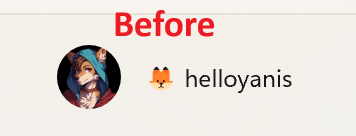
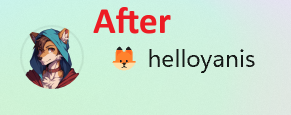
It always annoyed me, how on Windows, if your profile picture is partially transparent, #Windows will convert it to a .jpg file with a black background.
Well, it turns out if you edit the right registry keys (which are super protected even under admin rights, I wonder why!), you can set your account picture with transparency, and even use a #gif which moves and everything!
I made a neat Powershell script that does all of it for you, if you'd like to do it as well!
You can see it at https://github.com/helloyanis/windows-account-picture-changer
@technology @opensource
![Avatar for KipJayChou[维护模式]](/proxy/identity_icon/517496430236407498/5e3df27e50.png)
为GoToSocial添加自定义表情包 
下载表情包: 
各种小表情meme,动态静态都有:https://slackmojis.com/
哔哩哔哩Lv0到Lv6硬核会员:https://i0.hdslb.com/bfs/seed/jinkela/short/webui/user-profile/img/level_0.svg - https://i0.hdslb.com/bfs/seed/jinkela/short/webui/user-profile/img/level_h.svg
哔哩哔哩表情包(付费那种,而且还在更新):https://github.com/ccmuyuu/bilibili-emotes 适合搭配 https://minhaskamal.github.io/DownGit/#/home 下载目录
风格化的表情,主要还是类似emoji而非表情包: https://mutant.tech/
蓝豆表情包,适合抽象人士: https://bluemoji.io/
表情符号资源网站: https://emojipedia.org/
主要是颜文字,复制粘贴很方便: https://emojidb.org/meme-emojis
用豆包的seedream AI生成N创表情包: https://www.doubao.com/chat/create-image
压缩处理表情包: 
各种图片,我常用于处理GIF:https://imagestool.com/
专业处理GIF:https://ezgif.com/
主要用于处理非动态图片,效果特别好:https://squoosh.app/
从其他服务器“窃取”表情包: 
一个用于从本地目录或远程实例将自定义表情符号导入 GoToSocial 的小工具: : https://codeberg.org/pswilde/gts_emoji_importer
#gotosocial #mastodon #fediverse #bilibili #ezgif #mygo #mujica #imagestool #ezgif #gif #png #jpg #webp #squoosh #icon #logo
@board



Play GIFs inline in an Org-mode buffer!

 #lang_en #emacs #org #gif


 🌬️
🌬️

#PNG is back after 20 years!
https://www.programmax.net/articles/png-is-back/
I was hoping it dies a silent death in favour of #AVIF aed #WebP but I guess it is here to stay.
For me, I'm excited about finally integrating #APNG (animated PNG) because that has been around for years!
I even used APNG in my blog articles! (But only Firefox users can see it animated until this year. I can now see it animated in Blink-based and Chromium-based browsers in Android.)
Here's a review I wrote back in 2015 where I used APNG: https://im.youronly.one/snoworld/a-brilliant-young-mind-2015282/
But we already nave #GIF ! Well, APNG is better. 😝
Also see: https://docs.fileformat.com/image/apng/ (which needs to be updated with new information)