
最近在找一個好用的 Linux 發行版,希望桌面介面和整體操作體驗盡量接近 macOS,日常使用起來順手又好看 🍏🐧
同時也要能穩定支援 xrdp,讓 Windows 這邊可以直接用內建遠端桌面連進去,不用再裝一堆額外工具 🖥️
有沒有人有實際在用、覺得不錯的發行版或桌面環境推薦?也歡迎順便分享你們的 xrdp 設定心得 🙏
------
Looking for a Linux distro with a macOS‑like desktop experience – both UI and overall UX – so it feels smooth and pleasant to use every day 🍏🐧
It also needs to work reliably with xrdp, so I can connect directly from Windows using the built‑in Remote Desktop client without extra tools 🖥️
If you have any distro + desktop environment combos that work well, or xrdp setup tips, please share your experience 🙏
------
macOS に近いデスクトップ UI と使い心地を持った、使いやすい Linux ディストリを探しています 🍏🐧
同時に xrdp にもしっかり対応していて、Windows の標準リモートデスクトップクライアントからそのまま Linux デスクトップに接続できる環境が理想です 🖥️
実際に使って良かったディストリやデスクトップ環境、xrdp 設定のコツなどがあれば、ぜひ教えてください 🙏
#Linux #Linux桌面 #Linux發行版 #macOS風 #macOS風格 #xrdp #遠端桌面 #Windows遠端桌面 #桌面環境 #發行版推薦 #自架環境 #技術交流
#Linux #LinuxDesktop #LinuxDistro #macOSlike #macOSstyle #xrdp #RemoteDesktop #WindowsRDP #DesktopEnvironment #DistroRecommendations #Homelab #TechTalk
#Linux #Linuxデスクトップ #Linuxディストリ #macOS風 #macOSライク #xrdp #リモートデスクトップ #Windowsリモートデスクトップ #デスクトップ環境 #ディストリ紹介 #自宅サーバー #技術メモ
desktopenvironment



Sell me on your non Gnome / non KDE / non XFCE desktop environment or window manager of choice. Im in the mood to try something new. Im not a tiling window guy. Extra credit if it's in #FreeBSD's ports. #linux #floss #DesktopEnvironment #WindowManager #BSD

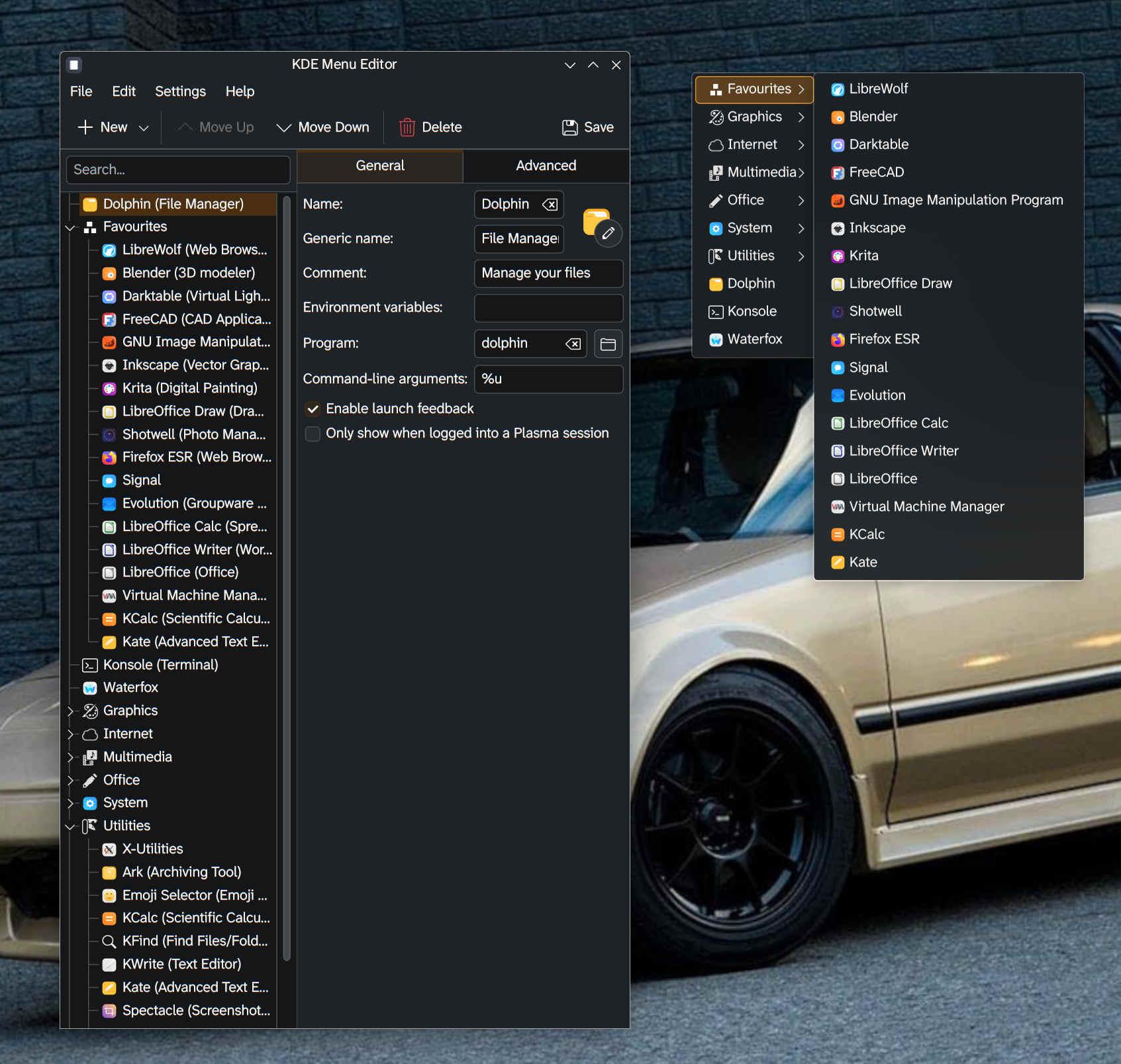
I do enjoy a desktop environment that allows you to _easily_ create an old skool right-click menu on your desktop.
There's some quirks to configuring the ordering, not sure if I'll need to hand edit the menu once I get it most of the way there.
For a mutli-head setup this avoids having to have an Application Launcher on every screen, but it does require access to unobscured desktop in order to work.
And my nerdy part likes the '80s-'90s UNIX desktop vibes it creates. Ha.
#Linux #RunBSD #KDE #KDEPlasma #desktop #DesktopEnvironment #GUI #UX
I've been messing around with #LXQT in a vm lately. I really kind of like it.
Is anyone using LXQT in a multi-head / multi-monitor configuration?
Any issues with where it defaults to placing new apps, resuming from screensaver or hibernation, adding/removing displays while running? Anything else I'm not thinking about?